Lesson 13 of 15 · ~22 min
Cryptography Basics
Hashing, encryption, TLS intuition.
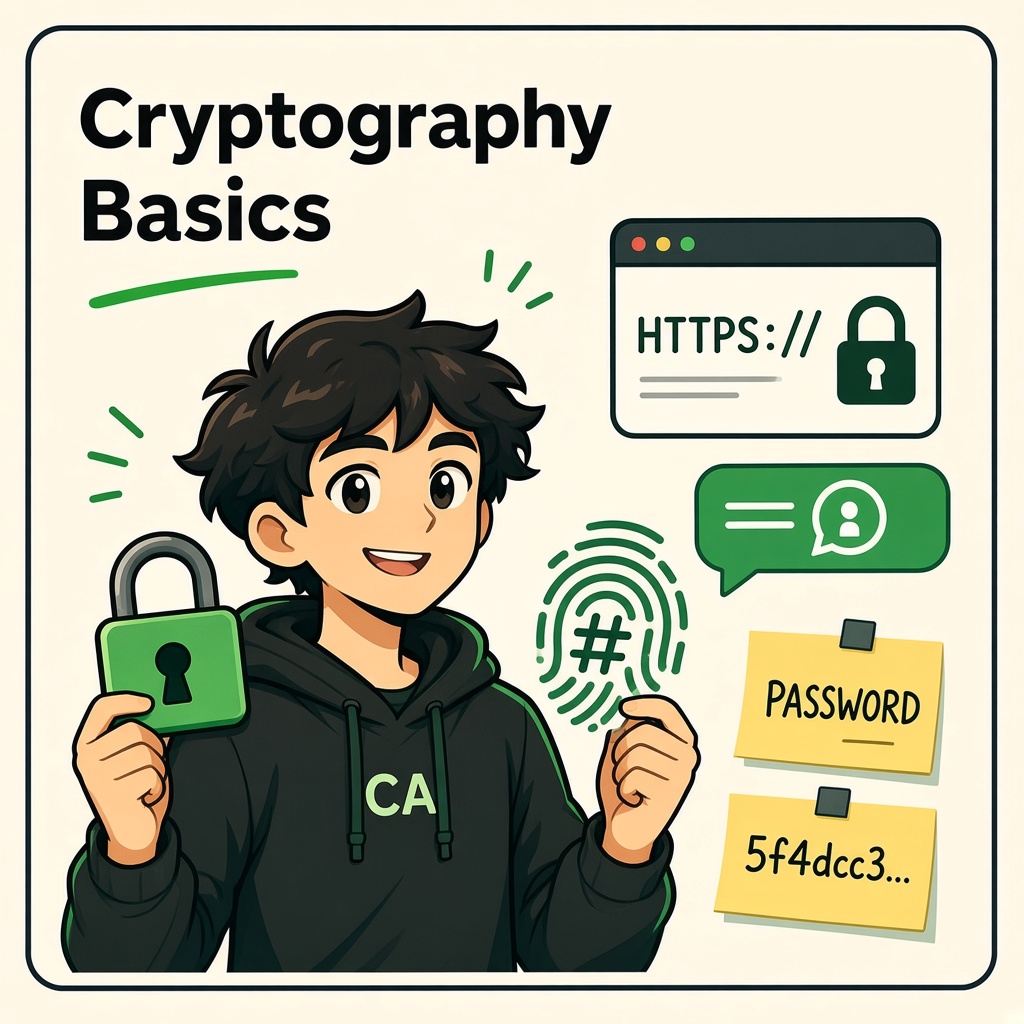
Cryptography Basics
Course: Cybersecurity Fundamentals
Level: Beginner
Topic: Hash vs Encrypt, TLS Intuition, and Password Hashing (bcrypt / Argon2)
1. Learning Objectives
By the end of this lesson, you will be able to:
- Distinguish confidentiality, integrity, and authentication in crypto contexts.
- Explain the difference between hashing and encryption (one-way vs reversible).
- Describe symmetric vs asymmetric encryption at a high level.
- Build intuition for TLS and what the browser padlock means.
- Explain why passwords should be stored with bcrypt, scrypt, or Argon2 — not MD5 or plain text.
- Recognize Base64 as encoding, not encryption.
- Connect historical breaches to weak crypto choices.
2. Why Cryptography Matters Every Day
Cryptography protects:
| Use case | Mechanism (typical) |
|---|---|
| WhatsApp / Signal chats | End-to-end encryption protocols |
| Banking and checkout sites | TLS (HTTPS) |
| Password verification | Slow password hashing |
| Software updates | Digital signatures |
| VPN tunnels | Encrypted channels (IPsec, WireGuard, etc.) |
Without crypto, anyone on the path (Wi‑Fi eavesdropper, compromised router) could read or alter traffic.
CIA triad mapping:
| Goal | Crypto helps via |
|---|---|
| Confidentiality | Encryption |
| Integrity | Hashes, MACs, signatures |
| Availability | Indirectly — integrity of updates, signed configs |
3. Encoding vs Encryption vs Hashing
Students often confuse these three.
| Operation | Reversible? | Key needed? | Example output |
|---|---|---|---|
| Encoding | Yes (not secret) | No | Base64 of hello |
| Encryption | Yes (with key) | Yes | AES ciphertext |
| Hashing | No (practically) | No (one-way) | SHA-256 digest |
3.1 Base64 is not encryption
Base64 transforms binary into ASCII for transport. Anyone can decode it.
aGVsbG8= → hello
If a API returns “encrypted” data that decodes with Base64, suspect marketing language, not real secrecy.
3.2 Hashing
A cryptographic hash function maps input of any size to a fixed-length digest.
Properties (ideal):
- Deterministic — same input → same hash
- Fast to compute (for general hashes like SHA-256)
- Preimage resistant — hard to find input for a given hash
- Collision resistant — hard to find two inputs with same hash
SHA-256("password123") →
ef92b778bafe771e89245b89ecbc08a44a4e166c06659911881f383d4473e94f
Small input change → wildly different digest (avalanche effect).
Uses: integrity checks, Git commit IDs, blockchain, password verification (with special slow hashes — see section 8).
Not for: encrypting emails you need to read later.
3.3 Encryption
Encryption scrambles data so only parties with the key can recover plaintext.
| Type | Keys | Typical use |
|---|---|---|
| Symmetric | One shared secret (AES, ChaCha20) | Bulk data, TLS session keys |
| Asymmetric | Public + private key pair (RSA, ECDH, Ed25519) | Key exchange, signatures |
Hybrid systems: TLS uses asymmetric crypto to agree on a symmetric session key, then encrypts traffic with AES-GCM or similar.
4. Symmetric Encryption (Intuition)
AES-256-GCM is a modern symmetric cipher providing confidentiality and integrity (authenticated encryption).
Analogy: everyone uses the same strong box key for a meeting — but you must deliver that key safely first (often via asymmetric step in TLS).
Never invent your own cipher mode or “AES with ECB on passwords.” Use vetted libraries.
5. Asymmetric Encryption and Signatures
Public key — share widely (certificate on a website).
Private key — keep secret (server’s key in HSM or secure store).
| Operation | Key used |
|---|---|
| Encrypt to recipient | Recipient’s public key |
| Decrypt | Recipient’s private key |
| Sign software | Author’s private key |
| Verify signature | Author’s public key |
Digital signatures prove integrity and origin of updates — Windows Update, apt repositories (with chain of trust), mobile app stores.
6. TLS Intuition (HTTPS Padlock)
TLS (Transport Layer Security) protects data in transit between client and server.
Simplified handshake (TLS 1.2/1.3):
- Client hello — supported ciphers, random.
- Server hello — chosen cipher, certificate (contains public key + domain names).
- Client verifies certificate chain against trusted CAs in the OS/browser store.
- Keys derived; encrypted application data flows (HTTP inside TLS = HTTPS).
What the padlock does mean:
- Traffic is encrypted on the wire between you and the server name on the cert (if chain valid).
- Integrity protection on that channel.
What it does not mean:
- The site is honest or safe — phishing sites can have HTTPS too.
- Your data is safe if malware reads it before encryption on your device.
- Broken server software (e.g. historical OpenSSL bugs) can undermine TLS despite the padlock.
6.1 Certificate warnings
If the browser warns NET::ERR_CERT_AUTHORITY_INVALID or name mismatch:
- Do not proceed on banking or login pages.
- Possible causes: corporate SSL inspection (with IT-installed root), expired cert, attack, misconfiguration.
6.2 TLS versions
Disable legacy SSLv3, TLS 1.0/1.1 on servers you administer. Prefer TLS 1.2+ and 1.3 with strong cipher suites.
7. Randomness and Keys
Cryptography needs cryptographically secure random numbers for keys, IVs, and tokens.
Use OS CSPRNG:
- Linux:
/dev/urandom - APIs:
secretsin Python,crypto.randomBytesin Node,RandomNumberGeneratorin .NET
Never seed with time() alone for keys.
8. Password Storage: bcrypt and Argon2
Websites should not store plaintext passwords or reversible encryption of passwords.
Correct approach:
- User submits password once over HTTPS.
- Server runs a slow password hashing function with unique salt.
- Store
algorithm + parameters + salt + hashonly. - On login, re-hash candidate password with stored salt and compare in constant time.
8.1 Why not MD5 or SHA-256 alone?
General-purpose hashes are fast. Attackers offline-test billions of guesses per second with GPUs.
| Algorithm | Password storage suitability |
|---|---|
| MD5 / SHA-1 | Poor — cracked at scale in leaks |
| SHA-256 alone | Poor — too fast without huge work factor |
| bcrypt | Good — adaptive cost factor |
| scrypt | Good — memory-hard |
| Argon2id | Excellent — modern winner of PHC |
8.2 bcrypt
Includes cost factor (rounds). Increasing cost slows hashing — defenders tune as hardware improves.
Example conceptual stored form:
$2b$12$N9qo8uLOickgx2ZMRZoMyeIjZAgcfl7p92ldGxad68LJZdL17lhWy
8.3 Argon2
Argon2id resists GPU/ASIC cracking by using memory and time parameters (m, t, p).
Choose parameters per OWASP or vendor guidance; test login latency on weakest expected client (mobile).
8.4 Salts and pepper
- Salt (unique per password): defeats rainbow tables — stored alongside hash.
- Pepper (secret server-side): extra static secret in HSM — optional defense in depth.
8.5 What users still must do
Even perfect hashing cannot save "password123" from dictionary attacks after database leak — use unique long passwords or passphrases and MFA.
9. Hashes Elsewhere: Integrity
| Use | Hash |
|---|---|
| File download verify | SHA-256 checksum published by vendor |
| Git commits | SHA-1 (legacy) / SHA-256 |
| HMAC | Secret key + hash → message authentication |
HMAC proves message not tampered and known to someone with the secret — used in APIs and cookies (with proper design).
10. Common Mistakes (Developer and User)
| Mistake | Fix |
|---|---|
| “We encrypt passwords with AES” (reversible) | Use bcrypt/Argon2 |
| Hard-coded keys in Git | Secrets manager, env vars, rotation |
| ECB mode for structured data | Use GCM or ChaCha20-Poly1305 |
| Rolling custom crypto | Use libsodium, Web Crypto, platform APIs |
| Trusting padlock alone | Verify domain, use MFA, watch for phishing |
11. Case Study: Heartbleed (2014)
A bug in OpenSSL’s heartbeat extension allowed memory reads on vulnerable servers — potentially keys and session data.
Lesson: Patch crypto libraries urgently; defense in depth (key rotation, HSTS, short-lived certs) limits exposure.
12. Case Study: LinkedIn and Weak Hashing (Historical)
Early breaches exposed unsalted or fast-hashed passwords, enabling mass cracking and credential stuffing on other sites.
Lesson: slow hashes + unique user passwords + MFA + breach detection.
13. Practical Lab: Hashes and TLS on Your Machine
Objective: Observe crypto behaviors locally — no attacking third-party sites.
Part A — Hashing (Linux/macOS/WSL or PowerShell)
# Linux
echo -n "cynarks-lab" | sha256sum
Change one letter and observe digest change completely.
Part B — Base64 decode
Decode Y3luYXJrcw== with a local tool — confirm it is not secret.
Part C — TLS inspection
- Visit
https://www.badssl.com/(public test site) in a browser. - Open certificate viewer on a good site vs a expired or self-signed test page.
- Note issuer, validity dates, and subject alternative names (SANs).
Part D — Password hashing (optional dev exercise)
If you code, hash a test password with bcrypt cost 12 in Python (bcrypt lib) or Node (bcryptjs) — never use production passwords in exercises.
Do not run hash-cracking tools against real leaked databases. Lab wordlists only on your hashes.
14. Knowledge Check
Q1. Which operation is designed to be one-way for password verification?
A. AES encryption
B. Cryptographic hashing with slow KDF
C. Base64 encoding
D. ZIP compression
Q2. HTTPS primarily protects which CIA aspects on the network path?
A. Confidentiality and integrity of transport
B. Availability of all servers globally
C. Physical security of data centers
D. Guaranteed honest website content
Q3. Base64 is best described as:
A. Encoding for representation, not secrecy
B. Strong encryption with 256-bit keys
C. A password hash
D. A TLS cipher suite
Q4. Why is bcrypt preferred over raw SHA-256 for password storage?
A. bcrypt is faster for GPUs
B. bcrypt includes tunable slowness and built-in salting patterns
C. bcrypt reverses passwords for recovery
D. SHA-256 cannot represent binary data
Q5. In TLS, the server certificate mainly provides:
A. Free storage space
B. Public key material and identity binding checked against CAs
C. Antivirus scanning
D. DNS resolution
Q6. Argon2id is notable because it is:
A. Memory-hard and recommended for password hashing
B. Used only for video compression
C. Identical to MD5
D. Required for HTTP/1.0
Q7. A digital signature on software updates helps ensure:
A. Faster downloads only
B. Integrity and authentic publisher (within trust chain)
C. Users cannot uninstall
D. Unlimited bandwidth
Q8. If two different files produce the same SHA-256 hash, that is called a:
A. Collision (should be infeasible for SHA-256)
B. Salt
C. Session ticket
D. Cipher mode
Q9. Storing passwords as reversible AES-encrypted strings is risky because:
A. AES is too slow for login
B. Anyone with the encryption key can recover plaintext passwords
C. AES cannot use keys
D. Browsers block AES
Q10. After a database leak, unique user passwords still help because:
A. Crackers cannot reuse hashes on other sites without per-site cracking effort
B. Hashes automatically change on other sites
C. MFA is no longer needed
D. TLS is no longer required
Answer Key
- B
- A
- A
- B
- B
- A
- B
- A
- B
- A
15. Lesson Summary
Cryptography secures modern life through encryption (reversible with keys), hashing (one-way integrity and password verification), and signatures (trust in software and TLS certificates). TLS protects data in transit but does not prove a site is trustworthy. Store passwords with bcrypt or Argon2id, never MD5 or plaintext.
Remember: Use standard libraries, patch crypto stacks, and combine strong transport crypto with authentication and authorization — the next lessons cover exactly that.
16. Coming Next: Authentication and Authorization
You will learn how systems prove identity (authentication) separately from permissions (authorization), how RBAC scales access control, and why sessions and tokens must be protected.
CYNARKS Academy – Learn to Understand. Practice to Defend.
Practice only on systems and networks you own or have explicit authorization to test.
End of lesson
Quiz · Tasks · Labs
Pass the quiz (≥70%), check off tasks, then mark the lesson complete to earn Foundations badges.
Scenario check
Real situations — apply the lesson logic; avoid pure memorization.
Answer all, then submit1. Which operation is designed to be one-way for password verification?
2. HTTPS primarily protects which CIA aspects on the network path?
3. Base64 is best described as:
4. Why is bcrypt preferred over raw SHA-256 for password storage?
5. In TLS, the server certificate mainly provides:
6. Argon2id is notable because it is:
7. A digital signature on software updates helps ensure:
8. If two different files produce the same SHA-256 hash, that is called a:
9. Storing passwords as reversible AES-encrypted strings is risky because:
10. After a database leak, unique user passwords still help because:
Lesson tasks
Practice labs
Required labs test this lesson’s skills. Related labs are optional previews.
- RequiredDecode the BeaconFundamentals
- RequiredHex DecodeFundamentals
Finish the quiz and tasks to unlock Mark as completed.