Lesson 4 of 15 · ~22 min
Types of Cyber Threats
Actors, motives, and attack patterns.
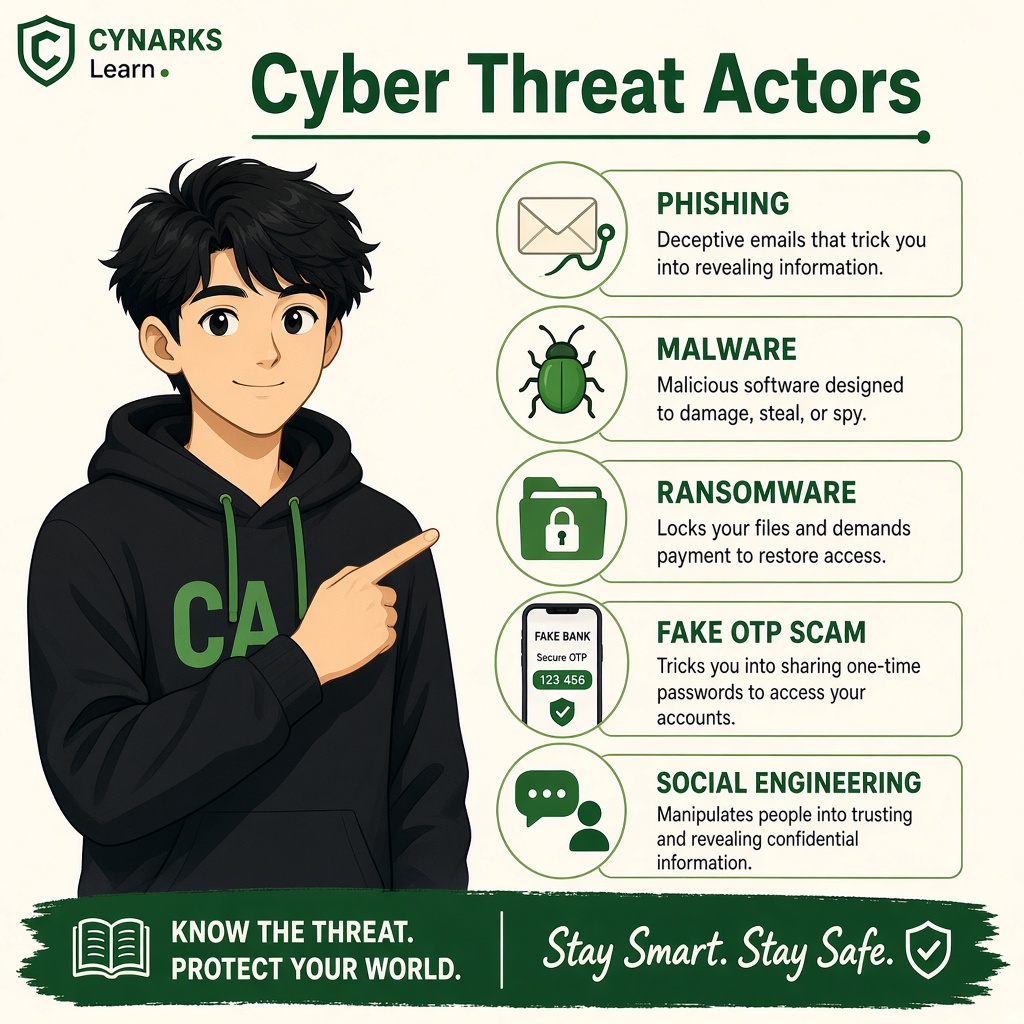
Types of Cyber Threats
Module 1 · Introduction to Cybersecurity · Beginner Level
Understand who creates cyber threats, why they do it, and how they target individuals and organizations.
1. Let's Understand Cyber Threats
Imagine you receive a message on WhatsApp:
"Your bank account will be blocked today. Click this link immediately to verify your account."
You become worried and click the link.
A website opens that looks exactly like your bank's official website. It asks for your username, password and OTP.
You enter your details.
But the website is fake. Someone created it to steal your information.
This is an example of a cyber threat.
Cyber threats are not limited to complicated hacking techniques. They can involve fake messages, malicious software, stolen passwords, unauthorized access, or even simple human mistakes.
A cyber threat is a potential danger that can exploit a weakness and cause harm to a computer, network, application, account or digital information.
In simple words:
A cyber threat is anything that could put your digital world at risk.
2. Understand Four Important Terms First
Before exploring different types of threats, understand these four terms.
1. Asset – What Do We Want to Protect?
An asset is anything valuable that needs protection.
Examples:
- Your Gmail account.
- Your mobile phone.
- Your bank account.
- College examination records.
- Company customer databases.
- Business applications.
2. Threat – What Could Cause Harm?
A threat is a potential danger to an asset.
Examples:
- A cybercriminal attempting to steal your password.
- Malware infecting your computer.
- An attacker trying to access a company server.
- A fire damaging a data center.
3. Vulnerability – What Is the Weakness?
A vulnerability is a weakness in a system, application, network or security process that could be exploited.
Examples:
- Weak passwords.
- Outdated software.
- Incorrect server configurations.
- Unnecessary access permissions.
- Missing security updates.
4. Risk – How Much Danger Do We Face?
Risk is the possibility of a threat exploiting a vulnerability and causing damage.
Risk depends on factors such as:
- How likely an incident is.
- How serious its impact could be.
- How exposed or vulnerable the asset is.
Simple Example
Imagine your Gmail account:
| Term | Example |
|---|---|
| Asset | Your Gmail account |
| Threat | An attacker trying to steal your account |
| Vulnerability | Weak password and no MFA |
| Risk | Your account could be compromised |
Remember the difference:
- Asset = What you protect.
- Threat = What could harm it.
- Vulnerability = What weakness could be exploited.
- Risk = How much danger the situation creates.
3. Who Creates Cyber Threats? – Threat Actors
A threat actor is a person or group responsible for carrying out, attempting or supporting an activity that could harm digital systems.
Different threat actors have different goals.
Let's understand the most common categories.
1. Cybercriminals
Main motive: Financial gain.
Cybercriminals carry out illegal activities to make money.
They may attempt to:
- Steal banking information.
- Take control of online accounts.
- Steal confidential company data.
- Deploy ransomware.
- Demand money to restore access to files.
Real-life example:
You receive a fake message claiming that you won a cash prize.
The link takes you to a fake payment website designed to steal your financial information.
The attacker wants money or valuable financial information.
2. Scammers and Social Engineers
Main motive: Trick people into revealing information or transferring money.
These attackers focus on manipulating human behavior rather than depending only on technical weaknesses.
Common examples:
- Fake customer support calls.
- Fake job offers.
- Fake scholarship messages.
- Fake bank verification messages.
- Romance and investment scams.
Real-life example:
Someone calls you pretending to be a bank employee.
They say your account has a problem and ask you to share an OTP.
Their goal is to trick you into giving away sensitive information.
3. Insider Threats
Main concern: Misuse of legitimate access.
An insider is someone who already has access to an organization's systems or information.
This could be:
- An employee.
- A contractor.
- An intern.
- A student with authorized access.
- A system administrator.
Insider threats can be intentional or accidental.
Intentional example:
An unhappy employee downloads confidential customer information and shares it without authorization.
Accidental example:
An employee mistakenly sends a confidential company document to the wrong email address.
Both situations can expose sensitive information.
4. Hacktivists
Main motive: Political, social or ideological causes.
Hacktivists use digital activities to promote a cause or express a protest.
Their activities may include:
- Website defacement.
- Unauthorized data exposure.
- Disrupting online services.
- Publishing information to attract attention.
Real-life example:
A group targets an organization's public website and replaces its homepage with a political message.
Their purpose may be to attract attention to a particular cause.
5. Nation-State Threat Actors
Main motive: National interests, espionage or strategic disruption.
These are threat groups associated with or supported by governments.
Their targets may include:
- Government departments.
- Military organizations.
- Critical infrastructure.
- Research institutions.
- Large technology companies.
Their objectives can include collecting intelligence, stealing sensitive information or disrupting important services.
These attacks can be highly sophisticated and may involve long-term operations.
6. Cyber Vandals
Main motive: Attention, mischief or destruction.
Some individuals attempt to damage or disrupt systems without a clear financial or political objective.
Examples:
- Defacing websites.
- Deleting files.
- Disrupting online communities.
- Damaging publicly accessible digital services.
Their actions can still cause serious consequences.
Important: Not every cyber threat comes from an expert hacker. Sometimes ordinary mistakes and careless actions can create serious security incidents.
4. Why Do Attackers Carry Out Cyber Attacks?
Understanding the motivation behind an attack helps security professionals understand what attackers might target.
Common motivations include:
| Motivation | What Attackers Want | Example |
|---|---|---|
| Financial Gain | Money or valuable assets | Banking fraud |
| Data Theft | Confidential information | Stealing customer records |
| Espionage | Secret information | Collecting government intelligence |
| Revenge | Cause damage | Disgruntled employee leaking files |
| Ideology | Promote a cause | Website defacement |
| Recognition | Attention or reputation | Unauthorized website modification |
| Disruption | Stop normal operations | Attacking an online service |
Remember: The same attack technique can be used by different threat actors for different reasons.
5. Common Types of Cyber Threats
Now let's understand the threats you will frequently encounter in cybersecurity.
1. Phishing
Phishing is a technique where attackers use fake emails, messages or websites to trick people into revealing sensitive information or performing unsafe actions.
Example:
You receive an email that looks like it came from Gmail.
It says:
"Your account will be suspended. Verify your password immediately."
The email contains a fake login link.
What the attacker wants: Your login credentials or other sensitive information.
2. Malware
Malware means malicious software designed to perform harmful activities on a device or system.
Common malware categories include:
- Virus: Malicious code that can attach to files or programs and spread when they are executed.
- Worm: Malware that can spread between systems without requiring the same kind of user action as a traditional virus.
- Trojan: Malicious software disguised as something legitimate.
- Spyware: Software designed to secretly collect information.
- Ransomware: Malware that can lock or encrypt files and demand payment.
- Keylogger: Software or hardware that records keystrokes, potentially capturing sensitive information.
Example:
You download a fake application from an untrusted website.
It secretly installs malicious software on your computer.
This can put your files and personal information at risk.
3. Ransomware
Ransomware is a type of malware that prevents users from accessing their files or systems, commonly through encryption, and demands payment.
Example:
Imagine a hospital stores patient records on its computer systems.
One day, ransomware encrypts important files.
Hospital employees cannot access the information they need.
This can interrupt hospital operations and affect patient services.
4. Password Attacks
Attackers attempt to obtain or guess passwords to access accounts or systems without authorization.
Common examples include:
- Brute Force: Trying many possible password combinations.
- Dictionary Attack: Trying passwords from a prepared list of commonly used words and passwords.
- Credential Stuffing: Using previously leaked username and password combinations against other services.
- Password Spraying: Trying a small number of common passwords against many accounts.
Example:
You use the same password for Instagram and another website.
The other website suffers a data breach.
An attacker may try the leaked password on your Instagram account.
This is an example of credential stuffing.
5. Denial-of-Service (DoS) and Distributed Denial-of-Service (DDoS)
These attacks attempt to make an online service unavailable to legitimate users.
DoS: An attack that overwhelms or disrupts a service.
DDoS: A similar attack carried out using multiple systems or sources.
Example:
A college announces examination results.
An attacker directs massive amounts of unwanted traffic towards the college website.
The website becomes slow or unavailable.
Students cannot access their results.
6. Man-in-the-Middle (MitM) Attacks
A Man-in-the-Middle attack occurs when an attacker secretly positions themselves between two communicating parties to intercept or potentially manipulate their communication.
Example:
Imagine you connect to an untrusted public Wi-Fi network.
An attacker with the ability to intercept network traffic may attempt to observe or manipulate insecure communications.
Modern HTTPS and properly configured encryption help protect information in transit, although they do not eliminate every risk.
7. SQL Injection
SQL Injection is a web application vulnerability where untrusted input is improperly handled and interpreted as part of a database query.
It may allow an attacker to access or modify database information without authorization.
Example:
Imagine an application has a poorly secured login form.
If the application directly combines user input with SQL commands without appropriate protections, specially crafted input may change how the database query behaves.
Security lesson: Developers should use parameterized queries and appropriate input handling.
8. Social Engineering
Social engineering is the manipulation of people into revealing confidential information or performing actions that compromise security.
Examples:
- Pretending to be technical support.
- Impersonating a manager.
- Asking an employee to share an OTP.
- Sending fake urgent payment requests.
Example:
An attacker pretends to be your company's manager and sends an urgent message asking you to transfer money to a new account.
The employee trusts the message and makes the payment without verification.
This is a social engineering attack.
6. Understand the Difference Between Threat Actors and Threat Types
This is an important concept.
A threat actor is who is behind an activity.
A threat type is what kind of attack or harmful activity takes place.
| Threat Actor | Possible Threat Type | Possible Motive |
|---|---|---|
| Cybercriminal | Phishing or ransomware | Financial gain |
| Scammer | Social engineering | Steal money |
| Insider | Data theft or accidental exposure | Revenge or mistake |
| Hacktivist | Website defacement or disruption | Ideology |
| Nation-state group | Espionage or targeted intrusion | Intelligence |
| Cyber vandal | Website disruption | Mischief or attention |
For example, phishing is a technique that may be used by a cybercriminal, scammer or even a sophisticated threat group.
One threat type can be used by different threat actors.
7. How Does a Cyber Attack Usually Happen?
Many cyber attacks follow a sequence of activities.
Let's understand a simplified example.
Imagine an attacker wants to gain unauthorized access to a company's employee email account.
Step 1: Information Gathering
The attacker identifies publicly available information about the company.
Step 2: Choosing a Target
The attacker selects an employee as a potential target.
Step 3: Initial Contact
The attacker sends a fake email pretending to be a trusted service.
Step 4: Attempted Credential Theft
The employee is tricked into entering their login details on a fake website.
Step 5: Unauthorized Access Attempt
The attacker attempts to use the stolen credentials.
Step 6: Potential Impact
If security controls fail, the attacker may access confidential emails or attempt further unauthorized activities.
Step 7: Detection and Response
The organization's security team investigates suspicious login activity, blocks unauthorized access and secures the affected account.
This is a simplified illustration. Real attacks do not always follow the same sequence.
8. Real-World Threat Examples
Let's see how different threats affect different people.
| Person / Organization | Possible Threat | Potential Impact |
|---|---|---|
| Student | Fake scholarship link | Account theft |
| Freelancer | Fake client payment link | Financial loss |
| Shop owner | Fake UPI payment request | Unauthorized payment |
| Office employee | Fake HR email attachment | Malware infection |
| Company | Ransomware | Business interruption |
| Hospital | System disruption | Patient service delays |
| College | Examination portal attack | Records exposure or downtime |
The same threat can affect individuals, small businesses and large organizations.
9. How Can You Protect Yourself?
You don't need to become a cybersecurity expert to start protecting yourself.
Follow these basic security practices:
- Use strong and unique passwords for different accounts.
- Enable Multi-Factor Authentication wherever available.
- Never share OTPs, UPI PINs or passwords.
- Verify unexpected emails, calls and messages.
- Avoid downloading applications from untrusted sources.
- Keep your operating system and applications updated.
- Maintain backups of important files.
- Use official websites and applications.
- Report suspicious activities to the appropriate security team.
- Be careful when sharing personal information online.
Lesson Summary
You have learned:
- What cyber threats are.
- The difference between assets, threats, vulnerabilities and risks.
- Who threat actors are.
- Why attackers carry out cyber attacks.
- Different types of cyber threats.
- How common cyber attacks work.
- The difference between threat actors and attack types.
- Basic security practices to reduce cyber risks.
Key takeaway:
Cybersecurity is not just about understanding computers or learning hacking tools. It is also about understanding who might attack, why they might attack, how attacks happen and how to prevent or respond to them.
Coming Next: Threat, Vulnerability, Exploit and Risk
You now know what cyber threats are. In the next lesson, you will learn how threats take advantage of vulnerabilities, what exploits mean and how organizations understand and evaluate cybersecurity risks.
CYNARKS Academy – Learn to Understand. Practice to Defend.
All practical security testing must be performed only on systems you own or have explicit authorization to test.
End of lesson
Quiz · Tasks · Labs
Pass the quiz (≥70%), check off tasks, then mark the lesson complete to earn Foundations badges.
Scenario check
Real situations — apply the lesson logic; avoid pure memorization.
Answer all, then submit1. What is a cyber threat?
2. An employee accidentally sends a confidential customer database to the wrong person. What type of threat does this represent?
3. What is the primary motivation of most financially motivated cybercriminals?
4. An attacker sends a fake bank email asking you to enter your password. What is this called?
5. What is the difference between a threat and a vulnerability?
6. Which malware type commonly encrypts files and demands payment?
7. Which attack attempts to make a website unavailable by overwhelming it with traffic?
8. Who is known as an insider?
Lesson tasks
Practice labs
Required labs test this lesson’s skills. Related labs are optional previews.
- RequiredMap the TechniqueSOC
- RequiredFind the Noisy IPSOC
Finish the quiz and tasks to unlock Mark as completed.