Lesson 12 of 15 · ~22 min
Windows Fundamentals
Accounts, services, Event Viewer intro.
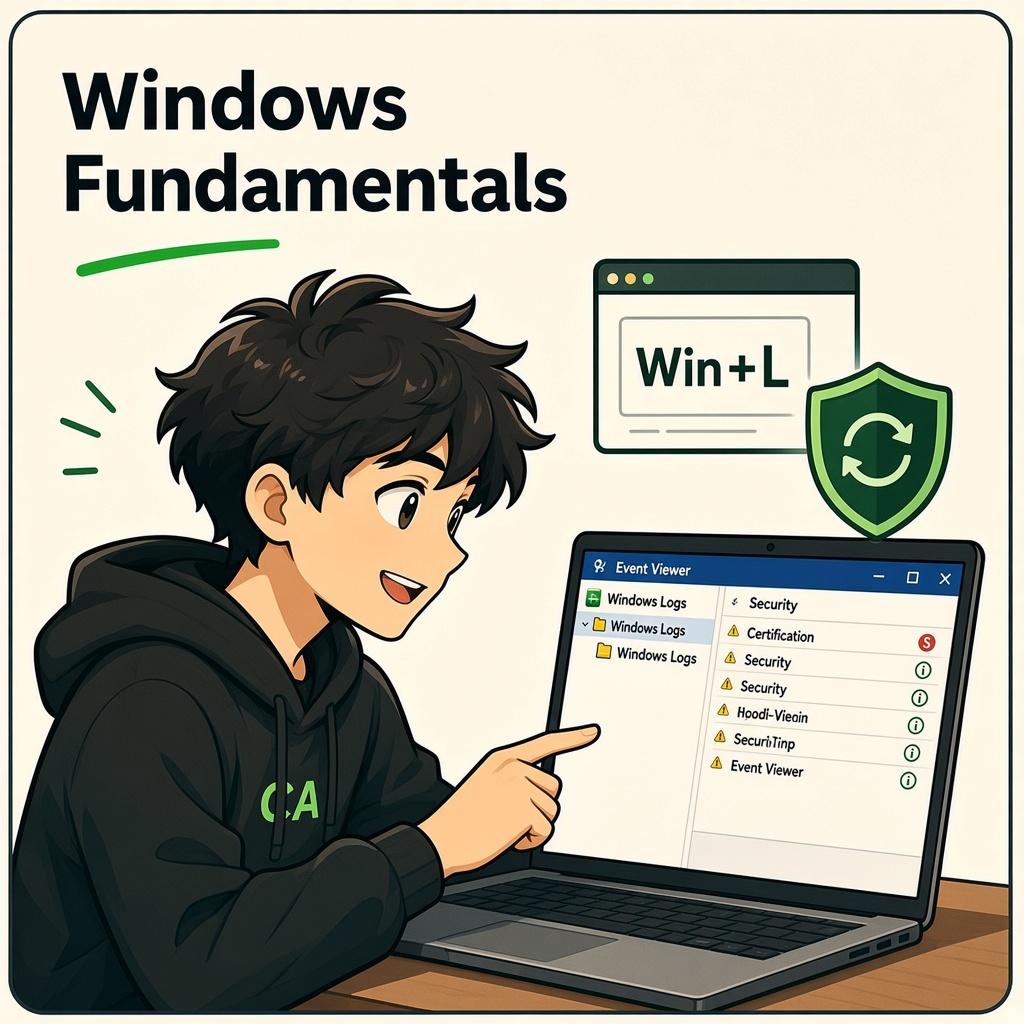
Windows Fundamentals
Course: Cybersecurity Fundamentals
Level: Beginner
Topic: Accounts, Event Viewer, Services, Updates, Defender, and PowerShell
1. Learning Objectives
By the end of this lesson, you will be able to:
- Describe how Windows organizes local and domain accounts, groups, and built-in roles.
- Use Event Viewer to interpret logon success (4624) and failure (4625) events.
- Explain Windows services, how they start, and why rogue services matter.
- Apply Windows Update and reboot discipline as a core control.
- Understand Microsoft Defender basics and why disabling it is risky.
- Run foundational PowerShell commands to inspect system state on authorized PCs.
- Connect everyday user habits (lock screen, cautious
.exe) to enterprise security outcomes.
2. Why Windows Dominates the Desktop
Microsoft Windows is the primary operating system for corporate laptops, many schools, and countless home PCs. Attackers follow users: phishing, malicious documents, ransomware, and credential theft often target Windows first.
Defenders must know Windows as well as Linux servers because identity, endpoints, and office productivity live here.
| Environment | Typical Windows role |
|---|---|
| Enterprise | Active Directory, Group Policy, Entra ID (Azure AD) join |
| SMB | Local accounts + Microsoft 365 |
| Developer | WSL2 + Visual Studio + hybrid cloud tools |
| SOC | EDR agents, Sysmon, centralized logging |
3. Editions and Architecture (Brief)
Common editions:
| Edition | Typical use |
|---|---|
| Home | Personal PCs |
| Pro | Small business, BitLocker, Hyper-V |
| Enterprise / Education | Managed corporate devices |
| Server | AD, file shares, RDS |
Modern Windows uses the NT kernel, Registry for configuration, and NTFS (or ReFS) for most volumes. User Account Control (UAC) prompts when elevated actions are needed — do not disable UAC casually.
4. Accounts and Groups
4.1 Account types
| Type | Description |
|---|---|
| Local account | Stored in SAM on the machine |
| Domain account | Stored in Active Directory; logs on with domain prefix |
| Microsoft account | Cloud identity tied to consumer services |
| Entra ID (Azure AD) account | Cloud/work identity for M365 and device join |
4.2 Built-in groups (awareness)
| Group | Risk if misused |
|---|---|
| Administrators | Full local control |
| Remote Desktop Users | Can RDP if allowed by policy |
| Backup Operators | Can read many files for backup |
| Guests | Should stay disabled |
Principle of least privilege: standard users for daily work; admin only when required.
4.3 Inspecting accounts (authorized PC)
GUI: lusrmgr.msc (local users and groups) on Pro/Enterprise.
PowerShell:
Get-LocalUser
Get-LocalGroup
Get-LocalGroupMember -Group "Administrators"
whoami /groups
Security hygiene:
- Win+L locks the session — use it in open offices.
- Do not run random
.exe,.iso, or macro-enabled documents from chat apps. - Separate admin account from email-browsing account where policy allows.
5. Event Viewer and Security Logging
Event Viewer (eventvwr.msc) aggregates logs:
| Log | Purpose |
|---|---|
| Application | App errors |
| System | Drivers, services, kernel |
| Security | Logons, policy changes (if auditing enabled) |
| Setup | Updates, upgrades |
| ForwardedEvents | Central collection in enterprises |
SOC analysts hunt in Security and Sysmon (if deployed).
5.1 Event ID 4624 — Successful logon
4624 means an account successfully authenticated.
Key fields (names vary slightly by version):
| Field | Analyst use |
|---|---|
| Subject / Target User | Who logged on |
| Logon Type | Interactive, network, RDP, service, etc. |
| Source Network Address | Remote IP for network logons |
| Workstation Name | Calling machine |
Logon Type cheat sheet (common):
| Type | Meaning |
|---|---|
| 2 | Interactive (console) |
| 3 | Network (SMB share, etc.) |
| 10 | RemoteInteractive (RDP) |
| 5 | Service |
Many 4624 events at odd hours from foreign IPs may indicate stolen credentials — correlate with MFA and geolocation policies.
5.2 Event ID 4625 — Failed logon
4625 means authentication failed.
| Field | Analyst use |
|---|---|
| Failure Reason | Bad password, locked account, etc. |
| Account Name | Target username |
| Source Network Address | Origin of attempt |
Repeated 4625 from one IP → password spraying or brute force. Repeated 4625 across many users from one IP → spray attack.
Other useful IDs (awareness):
| ID | Meaning |
|---|---|
| 4634 / 4647 | Logoff |
| 4672 | Special privileges assigned to new logon |
| 4720 | User account created |
| 4726 | User account deleted |
| 4740 | Account locked out |
5.3 Practice reading (fictional example)
Event ID: 4625
Account Name: jsmith
Failure Reason: Unknown user name or bad password
Source Network Address: 198.51.100.44
Logon Type: 3
Question: Is this local keyboard typing or remote? Answer: Type 3 suggests network authentication — investigate firewall, exposed SMB, or stolen VPN session.
6. Windows Services
A service is a background program, often starting at boot without a user logged in.
Services.msc or PowerShell:
Get-Service | Where-Object Status -eq 'Running' | Select-Object -First 20
Get-Service -Name WinDefend
| Start type | Behavior |
|---|---|
| Automatic | Starts at boot |
| Manual | Starts on demand |
| Disabled | Cannot start |
Security notes:
- Malware may install services named like system components — compare path in properties.
- Over-privileged service accounts (domain admin as service logon) have caused domain-wide incidents.
- Prefer Virtual Service Accounts, gMSA, or dedicated low-privilege accounts.
7. Windows Update and Patch Management
Unpatched Windows enabled WannaCry, NotPetya, and countless ransomware spreads via SMB and RDP flaws.
| Control | Action |
|---|---|
| Enable updates | Settings → Windows Update |
| Reboot | Many patches need restart — deferral policies should be balanced, not infinite |
| WSUS / Intune / GPO | Enterprise scheduling |
| Firmware | OEM tools for BIOS/UEFI where applicable |
Lesson from WannaCry: Missing MS17-010 on reachable SMB allowed worm-like propagation inside networks.
Test patches in a pilot group before full rollout — but do not freeze updates for months.
8. Microsoft Defender Antivirus
Microsoft Defender (built into modern Windows) provides:
- Real-time malware scanning
- Cloud-delivered protection (when enabled)
- Attack surface reduction rules (enterprise policies)
- Integration with Defender for Endpoint in E5 scenarios
Get-MpComputerStatus
Update-MpSignature
Start-MpScan -ScanType QuickScan
Never disable Defender to “speed up Chrome” on corporate or banking PCs — attackers depend on blind endpoints.
Third-party AV may replace Defender; one active AV provider is expected.
9. PowerShell Basics for Defenders
PowerShell is the modern automation shell (.NET-based).
$PSVersionTable.PSVersion
Get-Process | Sort-Object CPU -Descending | Select-Object -First 10
Get-NetTCPConnection -State Listen | Select-Object LocalAddress,LocalPort,OwningProcess
Get-WinEvent -LogName Security -MaxEvents 5
Get-ItemProperty HKLM:\Software\Microsoft\Windows\CurrentVersion\Run
| Cmdlet area | Example use |
|---|---|
| Get-Process | Spot crypto miners |
| Get-NetTCPConnection | Unexpected listeners |
| Get-WinEvent | Pull Security log slices |
| Get-AuthenticodeSignature | Check if script is signed |
Execution policy restricts script running — attackers bypass with -EncodedCommand; defenders monitor script block logging (enterprise).
Use PowerShell 7+ (pwsh) cross-platform where installed; many lessons still apply to Windows PowerShell 5.1 built into Windows.
10. Registry and Startup (Awareness)
Malware persists via:
Run/RunOnceregistry keys- Scheduled tasks (
taskschd.msc) - Services
- WMI subscriptions (advanced)
Inspect startup (authorized):
Get-CimInstance Win32_StartupCommand | Select-Object Name, Command, Location
11. Remote Desktop and Network Posture
RDP (3389) is heavily attacked.
| Hardening | Why |
|---|---|
| Strong passwords + MFA | Stolen creds are common |
| Network Level Authentication | Blocks some unauthenticated paths |
| Restrict source IPs / VPN only | Shrinks attack surface |
| Avoid exposing RDP directly to internet | Use gateway or Zero Trust |
Event 4624 Logon Type 10 spikes may indicate RDP session activity — baseline what is normal.
12. Case Study: WannaCry / NotPetya
Ransomware worms exploited unpatched Windows and lateral movement techniques. Hospitals and shipping firms lost availability.
Takeaways: patch, segment networks, restrict SMB, maintain offline backups, limit admin tokens on daily-use accounts.
13. Case Study: Colonial Pipeline (Public Reporting Themes)
IT disruption on Windows-centric environments affected operational decisions. Ransomware groups target broad permissions and weak recovery.
Takeaways: endpoint detection, identity controls, segmented backups, incident response runbooks — not “security through obscurity.”
14. Case Study: Emotet and Office Document Tricks
Historical campaigns abused macros, ISO mounts, and social engineering in email.
Takeaways: disable unnecessary macros, train users, filter email, deploy EDR, apply ASR rules where feasible.
15. Practical Lab: Your Windows PC or Authorized VM
Objective: Inspect your own machine or a lab VM — not classmates’ or employer production without permission.
Part A — Accounts
- Run
whoami /alland note your groups. - List local administrators:
Get-LocalGroupMember -Group Administrators.
Part B — Event Viewer
- Open Security log; filter 4624 and 4625 for the last 24 hours (if auditing produces events).
- Write one sentence explaining the most recent 4624 logon type.
Part C — Services and updates
- List five running services you recognize and one you do not — research the unknown name.
- Check Windows Update status; note last successful install date.
Part D — Defender
- Run
Get-MpComputerStatus; record whether real-time protection is enabled.
Part E — PowerShell network
- Run
Get-NetTCPConnection -State Listenand identify which process owns port 135 (if listening).
Do not disable security products for the lab. Do not export Security logs containing others’ PII to public forums.
16. Knowledge Check
Q1. Event ID 4625 typically indicates what?
A. Successful logon
B. Failed logon attempt
C. System shutdown
D. USB inserted
Q2. Which logon type commonly represents Remote Desktop?
A. 2
B. 3
C. 10
D. 8
Q3. Why should everyday users avoid running as local Administrator?
A. It speeds up games only
B. Malware inherits elevated privileges more easily
C. It disables the keyboard
D. It removes the need for passwords
Q4. What is the primary purpose of Windows Update in security?
A. Change wallpaper automatically
B. Deliver patches for OS and components
C. Delete user files
D. Disable firewalls
Q5. Which tool is the standard GUI for inspecting Windows logs?
A. Notepad only
B. Event Viewer
C. Paint
D. Calculator
Q6. What does Microsoft Defender provide on consumer Windows?
A. Antimalware and related protections
B. DNS registration
C. GPU overclocking
D. Email hosting
Q7. Which PowerShell cmdlet lists listening TCP connections?
A. Get-NetTCPConnection
B. Format-Volume
C. Add-Printer
D. Restart-Computer -Confirm:$false without care
Q8. What is a strong physical security habit on shared desks?
A. Share passwords on sticky notes
B. Win+L to lock the session
C. Leave RDP session open
D. Disable screen lock
Q9. Repeated 4625 events across many usernames from one IP may suggest:
A. Password spraying
B. Successful backup
C. Windows Update success
D. Monitor brightness change
Q10. Services that start automatically at boot are configured with start type:
A. Manual only
B. Automatic (or Automatic delayed)
C. Disabled always
D. Guest
Answer Key
- B
- C
- B
- B
- B
- A
- A
- B
- A
- B
17. Lesson Summary
Windows remains the primary desktop attack surface. You learned accounts and groups, how 4624/4625 events support detection, how services and updates maintain integrity, how Defender protects endpoints, and how PowerShell helps authorized inspection.
Remember: Lock your screen, patch promptly, keep Defender active, and read Security logs when investigating odd behavior on systems you manage.
18. Coming Next: Cryptography Basics
Next you will separate hashing from encryption, build intuition for TLS and HTTPS, and learn why password storage should use slow algorithms like bcrypt and Argon2 — not reversible “encryption” or fast hashes.
CYNARKS Academy – Learn to Understand. Practice to Defend.
Practice only on systems and networks you own or have explicit authorization to test.
End of lesson
Quiz · Tasks · Labs
Pass the quiz (≥70%), check off tasks, then mark the lesson complete to earn Foundations badges.
Scenario check
Real situations — apply the lesson logic; avoid pure memorization.
Answer all, then submit1. Event ID 4625 typically indicates what?
2. Which logon type commonly represents Remote Desktop?
3. Why should everyday users avoid running as local Administrator?
4. What is the primary purpose of Windows Update in security?
5. Which tool is the standard GUI for inspecting Windows logs?
6. What does Microsoft Defender provide on consumer Windows?
7. Which PowerShell cmdlet lists listening TCP connections?
8. What is a strong physical security habit on shared desks?
9. Repeated 4625 events across many usernames from one IP may suggest:
10. Services that start automatically at boot are configured with start type:
Lesson tasks
Practice labs
Required labs test this lesson’s skills. Related labs are optional previews.
- RelatedWindows Event PickWindows
Finish the quiz and tasks to unlock Mark as completed.