Lesson 9 of 15 · ~22 min
OSI and TCP/IP Models
Layers as debugging tools.
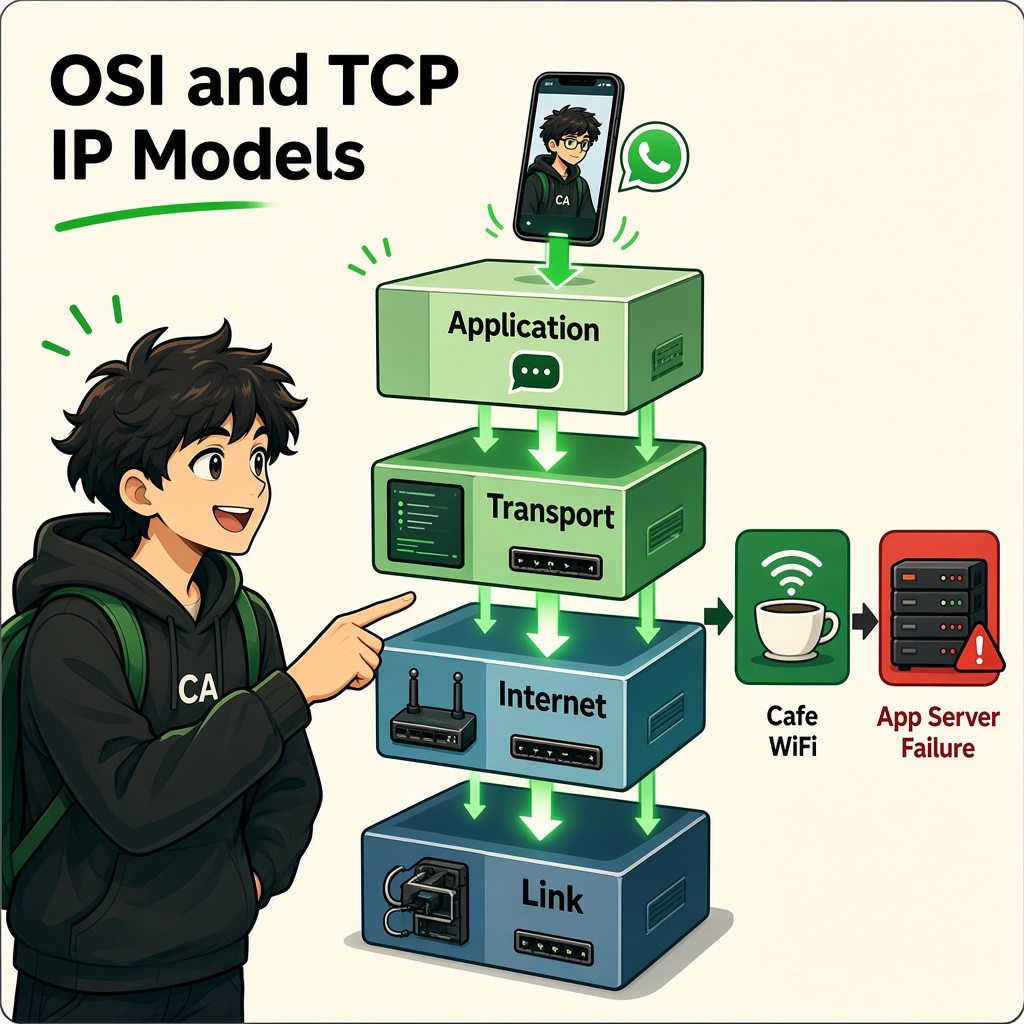
OSI and TCP/IP Models
Course: Network Security
Level: Beginner
Topic: Understanding Network Layers and Troubleshooting
1. Introduction
When you open Instagram, watch YouTube, send a WhatsApp message, or access a website, several networking processes work together in the background.
But what happens if something goes wrong?
- Wi-Fi is connected, but websites are not opening.
- YouTube works, but one particular website does not.
- A website opens, but login fails.
- Your computer can reach an IP address, but the domain name does not work.
To understand these problems, networking is divided into layers.
Two important networking models are:
- OSI Model: A conceptual model with seven layers.
- TCP/IP Model: A practical networking model commonly represented with four layers.
In simple words: These models help us understand how data travels between devices and identify where communication problems occur.
2. What Is the OSI Model?
OSI stands for Open Systems Interconnection.
It is a conceptual framework that explains network communication through seven layers.
Each layer has a specific responsibility and interacts with the layers around it.
The Seven OSI Layers
| Layer | Name | Main responsibility | Example |
|---|---|---|---|
| 7 | Application | Network services used by applications | HTTP, DNS, SMTP |
| 6 | Presentation | Data representation, encryption and compression | TLS-related functions, data formats |
| 5 | Session | Establishing and managing communication sessions | Session management |
| 4 | Transport | End-to-end transport and delivery | TCP, UDP |
| 3 | Network | Logical addressing and routing | IP, routers |
| 2 | Data Link | Local network delivery using frames | Ethernet, Wi-Fi MAC |
| 1 | Physical | Transmitting raw bits through a medium | Cables, radio signals |
Layer 7 – Application Layer
The Application Layer provides network services that applications use to communicate.
Examples:
- HTTP – Web communication.
- HTTPS – Secure web communication.
- DNS – Domain name resolution.
- SMTP – Sending email.
- FTP – File transfer.
Example: When you open Gmail, your browser uses application-layer protocols to communicate with Google's services.
Remember: The application layer is not the same thing as the entire application itself. It represents the network services and protocols used by applications.
Layer 6 – Presentation Layer
The Presentation Layer deals with how data is represented and interpreted.
Its common responsibilities include:
- Data formatting.
- Character encoding.
- Data compression.
- Encryption and decryption concepts.
Example: Data may need to be converted into a format that the receiving system can understand.
Important clarification: In modern networks, encryption such as TLS does not always fit neatly into one OSI layer. It is often implemented through libraries and protocols used by applications.
Layer 5 – Session Layer
The Session Layer describes how communication sessions are established, managed, and terminated.
Think about a video meeting:
- A communication session starts.
- Participants exchange information.
- The session continues.
- The session ends.
Some applications manage sessions through their own application-level mechanisms rather than a separate Session Layer protocol.
Layer 4 – Transport Layer
The Transport Layer provides communication between applications running on different devices.
Its important protocols are:
- TCP – Transmission Control Protocol.
- UDP – User Datagram Protocol.
It also uses port numbers to identify application services.
Example: Your browser may communicate with a web server using TCP port 443.
TCP provides reliable, ordered delivery. UDP provides a simpler, connectionless transport without TCP's built-in delivery guarantees.
Layer 3 – Network Layer
The Network Layer handles logical addressing and routing between networks.
Important protocol:
- IP – Internet Protocol.
Its responsibilities include:
- Source and destination IP addressing.
- Packet forwarding between networks.
- Routing decisions.
Example: When your laptop accesses a website hosted in another country, routers help forward packets towards the destination network.
Layer 2 – Data Link Layer
The Data Link Layer handles communication over a local network link.
Its responsibilities include:
- Framing.
- MAC addressing.
- Local frame delivery.
- Error detection in many link technologies.
Examples:
- Ethernet.
- Wi-Fi (IEEE 802.11).
Example: Your laptop communicates with your home router through Wi-Fi.
Layer 1 – Physical Layer
The Physical Layer handles the actual transmission of bits through a communication medium.
Examples:
- Ethernet cables.
- Fiber-optic cables.
- Radio signals.
- Electrical signals.
- Physical network interfaces.
Example: If an Ethernet cable is unplugged or damaged, physical connectivity may fail.
3. Easy Way to Remember the OSI Layers
From Layer 7 to Layer 1:
All People Seem To Need Data Processing
- Application
- Presentation
- Session
- Transport
- Network
- Data Link
- Physical
From Layer 1 to Layer 7:
Please Do Not Throw Sausage Pizza Away
- Physical
- Data Link
- Network
- Transport
- Session
- Presentation
- Application
You should understand what each layer does instead of only memorizing its name.
4. What Is the TCP/IP Model?
TCP/IP stands for Transmission Control Protocol / Internet Protocol.
It is the practical protocol architecture behind internet communication.
The commonly taught four-layer TCP/IP model groups networking functions into four layers.
| TCP/IP Layer | Main responsibility | Related OSI layers |
|---|---|---|
| Application | Application protocols and data representation | 7, 6, 5 |
| Transport | Process-to-process communication | 4 |
| Internet | IP addressing and routing | 3 |
| Network Access / Link | Local network communication and physical transmission | 2, 1 |
1. Application Layer
Supports application-level network communication.
Examples:
- HTTP and HTTPS.
- DNS.
- SMTP.
- SSH.
- DHCP.
2. Transport Layer
Provides transport between applications.
Protocols:
- TCP.
- UDP.
3. Internet Layer
Handles IP addressing and packet routing.
Protocols:
- IPv4.
- IPv6.
- ICMP.
4. Network Access Layer
Handles communication over the local network.
Examples:
- Ethernet.
- Wi-Fi.
It covers both data-link and physical networking functions in the simplified four-layer model.
5. OSI vs TCP/IP Model
| Feature | OSI Model | TCP/IP Model |
|---|---|---|
| Number of layers | 7 | 4 in the common model |
| Purpose | Conceptual reference model | Practical protocol architecture |
| Developed by | ISO | Internet protocol development community, including DARPA origins |
| Usage | Learning, design, troubleshooting | Real-world internet communication |
| Layer separation | More detailed | More grouped |
Important: The OSI model is not an obsolete technology. It remains useful for learning, documentation, and troubleshooting. TCP/IP describes the protocol architecture used in real-world internet communication.
6. How Data Travels Through Network Layers
Let's understand what happens when you send a WhatsApp message or open a website.
Imagine you open a website from your laptop.
Sending side
- Application Layer: Your browser creates an HTTP request.
- Transport Layer: TCP or another suitable transport carries the application data.
- Internet Layer: IP adds addressing information for delivery.
- Network Access Layer: The data is carried over Wi-Fi or Ethernet.
The data moves down through the layers before transmission.
Receiving side
The destination device processes the incoming data in the reverse direction:
- Network Access Layer receives the frame.
- Internet Layer processes the IP packet.
- Transport Layer processes the TCP segment or UDP datagram.
- Application Layer receives the data.
This process is called encapsulation and decapsulation.
Understanding the data units
| Layer | Common data unit |
|---|---|
| Application | Data |
| Transport | TCP segment / UDP datagram |
| Internet | IP packet |
| Network Access | Frame |
| Physical | Bits |
These are common teaching terms. Exact protocol terminology can vary.
7. What Is Encapsulation?
Encapsulation is the process of adding protocol information as data moves down the networking layers.
Imagine sending a parcel:
- The item is your original data.
- The inner package identifies the application communication.
- Another package contains IP addressing information.
- The outer package contains local network delivery information.
Each layer adds the information required for its responsibility.
At the receiving end, the corresponding information is processed and removed. This is called decapsulation.
Why is it important?
It allows different networking technologies and protocols to work together without every layer needing to understand all the details of every other layer.
8. TCP vs UDP
TCP and UDP are two important Transport Layer protocols.
TCP – Transmission Control Protocol
TCP provides reliable, ordered byte-stream communication.
Its important features include:
- Connection establishment.
- Acknowledgements.
- Retransmission of lost data.
- Ordered delivery.
- Flow control.
- Congestion control.
Example: Web browsing over HTTP/1.1 or HTTP/2 commonly uses TCP.
UDP – User Datagram Protocol
UDP provides connectionless datagram communication.
Its features include:
- Lower protocol overhead.
- No built-in guarantee of delivery.
- No built-in guarantee of ordering.
- No built-in retransmission mechanism.
- Applications can implement their own reliability when needed.
Example: DNS commonly uses UDP for many queries. Real-time voice and video applications may also use UDP.
TCP vs UDP Comparison
| Feature | TCP | UDP |
|---|---|---|
| Connection | Connection-oriented | Connectionless |
| Delivery guarantee | Reliable delivery mechanisms | No built-in delivery guarantee |
| Ordering | Preserves byte order | No built-in ordering |
| Acknowledgements | Yes | No built-in acknowledgements |
| Retransmission | Yes | No built-in retransmission |
| Overhead | Generally higher | Generally lower |
| Common use | Web traffic, email, file transfers | DNS, real-time media, some games |
TCP and UDP Visual Example
Imagine five packets are sent from one device to another, but packet number three is lost.
With TCP, the receiver can detect missing data and the sender can retransmit it.
With UDP, the missing datagram is not automatically retransmitted by UDP itself. The application may decide whether to recover it or continue without it.
Remember: TCP is not always better than UDP. The correct choice depends on the application's requirements.
9. How to Troubleshoot Using Network Layers
Layer models are especially useful for diagnosing network problems.
Imagine your laptop is connected to Wi-Fi, but a website is not opening.
Instead of immediately reinstalling the browser or operating system, troubleshoot step by step.
| Layer / Area | What to check | Example problem |
|---|---|---|
| Physical | Cable, Wi-Fi signal, network adapter | Disconnected cable |
| Data Link | Wi-Fi association, Ethernet connection | Failed Wi-Fi authentication |
| Network | IP address, gateway, routing | Incorrect IP configuration |
| Transport | TCP/UDP connectivity, ports | Connection refused or blocked |
| Session | Application session state | Session expired |
| Presentation | Encoding, certificates, encryption | TLS certificate problem |
| Application | DNS, HTTP response, application errors | Website or DNS issue |
These are troubleshooting categories, not strict rules. Real network issues can involve multiple layers.
Example 1: Wi-Fi is not connecting
Possible areas:
- Physical: Wi-Fi adapter disabled.
- Data Link: Incorrect Wi-Fi password or authentication issue.
Example 2: Wi-Fi connects, but no websites open
Possible areas:
- Network: Incorrect IP address or default gateway.
- DNS: Domain names cannot be resolved.
- Transport: Required connections are blocked.
Example 3: Website opens, but login fails
Possible areas:
- Application: Authentication or server-side error.
- Session: Expired session or invalid session state.
- Transport/security: Connection or TLS problems.
Key lesson: Find the failing part before changing unrelated settings.
10. DNS and TLS: Two Common Troubleshooting Examples
DNS failure
DNS converts domain names into IP addresses.
For example:
You enter example.com in your browser.
Your device needs to resolve that name to an IP address before it can connect using that destination.
If DNS resolution fails, the website may not open even when your Wi-Fi connection is working.
TLS / HTTPS failure
TLS protects communication by providing encryption and authentication.
For example, when you open an HTTPS website:
- Your browser and server negotiate a secure connection.
- The server presents a certificate.
- The browser validates the certificate and connection.
- Encrypted communication can then take place.
A certificate error may occur because of an expired certificate, incorrect system time, hostname mismatch, or other trust problems.
Important: TLS is not simply another name for the OSI Presentation Layer. It is a security protocol that operates across the practical networking stack.
11. Real-World Case Study: Cloudflare and CDN Outages
Cloudflare and other content delivery network (CDN) providers help websites deliver content efficiently.
A CDN can provide:
- Content caching.
- Traffic distribution.
- DNS services.
- Security protections.
- DDoS mitigation.
When a major CDN or DNS provider experiences an outage or configuration problem, many websites may become unavailable or behave unexpectedly.
Your Wi-Fi may be working perfectly, but websites that depend on the affected provider may still fail.
What should you learn?
- Not every website failure is caused by your device.
- Internet communication depends on multiple networks and service providers.
- DNS, routing, CDN, and application services can fail independently.
- Troubleshooting should identify the actual failing component.
Key lesson: A connected Wi-Fi icon does not guarantee that every internet service is working.
12. Practical Lab: Basic Network Troubleshooting
Objective: Learn how to inspect your own device's network connectivity.
Use only your own device and authorized networks.
Step 1: Check your IP configuration
Windows:
ipconfig
Linux:
ip addr
ip route
Identify your IP address and default gateway.
Step 2: Test local gateway connectivity
Use the gateway address shown on your device.
ping 192.168.1.1
The address is only an example.
If the gateway responds, it provides evidence of local connectivity, but it does not prove that the internet is working.
Step 3: Test internet IP connectivity
ping 1.1.1.1
Some networks block ICMP traffic, so no response does not always mean the internet is unavailable.
Step 4: Test DNS resolution
nslookup example.com
Check whether a DNS response is returned.
Step 5: Compare the results
| Test | Result | What it helps investigate |
|---|---|---|
| Gateway ping | Success / failure | Local network reachability |
| Public IP ping | Success / failure | External IP connectivity, subject to ICMP filtering |
| DNS lookup | Success / failure | Domain name resolution |
Your task
Write down:
- Did your device receive an IP address?
- Did the gateway respond?
- Did the public IP test respond?
- Did DNS resolution work?
- Which part would you investigate next if the website still failed?
13. Knowledge Check
Q1. How many layers are present in the OSI model?
A. 4
B. 5
C. 7
D. 8
Q2. Which OSI layer is responsible for logical addressing and routing?
A. Physical
B. Network
C. Application
D. Presentation
Q3. Which protocol provides reliable, ordered byte-stream communication?
A. UDP
B. DNS
C. TCP
D. ICMP
Q4. Which layer is associated with MAC addressing and Ethernet frames?
A. Data Link
B. Transport
C. Session
D. Application
Q5. Which protocol is commonly used to resolve domain names?
A. FTP
B. DNS
C. SSH
D. SMTP
Q6. Your Wi-Fi is connected, but a website cannot be opened because its domain name cannot be resolved. Which service should you investigate first?
A. DNS
B. Monitor
C. Keyboard
D. Printer
Q7. What is encapsulation?
A. Deleting network packets
B. Adding protocol information as data moves down the layers
C. Disconnecting a router
D. Blocking all network traffic
Answer Key
- C
- B
- C
- A
- B
- A
- B
14. Practical Challenge
Scenario: College Wi-Fi Troubleshooting
A student reports:
"I am connected to college Wi-Fi. YouTube is working, but the college learning portal is not opening."
Your task:
- Identify which networking layers may still be functioning.
- Check whether the portal's domain resolves correctly.
- Consider whether the portal server is available.
- Consider whether a firewall or network policy is blocking access.
- Identify whether the issue affects only one student or multiple users.
- Suggest the next troubleshooting step.
Think like a network security analyst: Do not assume the entire network is down just because one service is unavailable.
15. Lesson Summary
After completing this lesson, you should understand:
- What the OSI model is.
- The purpose of all seven OSI layers.
- What the TCP/IP four-layer model represents.
- The differences between OSI and TCP/IP.
- How encapsulation and decapsulation work.
- The difference between TCP and UDP.
- How DNS and TLS relate to troubleshooting.
- How to identify possible network failures layer by layer.
- How to perform basic network checks on your own device.
Remember: OSI helps you understand where a problem belongs. TCP/IP helps you understand the protocol architecture used by the internet. Together, they give you a structured way to investigate network issues.
Coming Next: IP Addressing and Subnetting
In the next lesson, you will learn:
- IPv4 address structure.
- Binary basics.
- Network ID and Host ID.
- Subnet masks.
- CIDR notation.
- Public vs private IP addresses.
- Basic subnet calculations.
- How to identify whether two devices belong to the same network.
End of lesson
Quiz · Tasks · Labs
Pass the quiz (≥70%), check off tasks, then mark the lesson complete to earn Foundations badges.
Scenario check
Real situations — apply the lesson logic; avoid pure memorization.
Answer all, then submit1. How many layers are present in the OSI model?
2. Which OSI layer is responsible for logical addressing and routing?
3. Which protocol provides reliable, ordered byte-stream communication?
4. Which layer is associated with MAC addressing and Ethernet frames?
5. Which protocol is commonly used to resolve domain names?
6. Your Wi-Fi is connected, but a website cannot be opened because its domain name cannot be resolved. Which service should you investigate first?
7. What is encapsulation?
Lesson tasks
Practice labs
Required labs test this lesson’s skills. Related labs are optional previews.
- RequiredOSI Map & HandshakeNetworking
- RequiredHandshake OrderNetworking
Finish the quiz and tasks to unlock Mark as completed.