Lesson 6 of 15 · ~22 min
Phishing and Social Engineering
Human attack surface and verification habits.
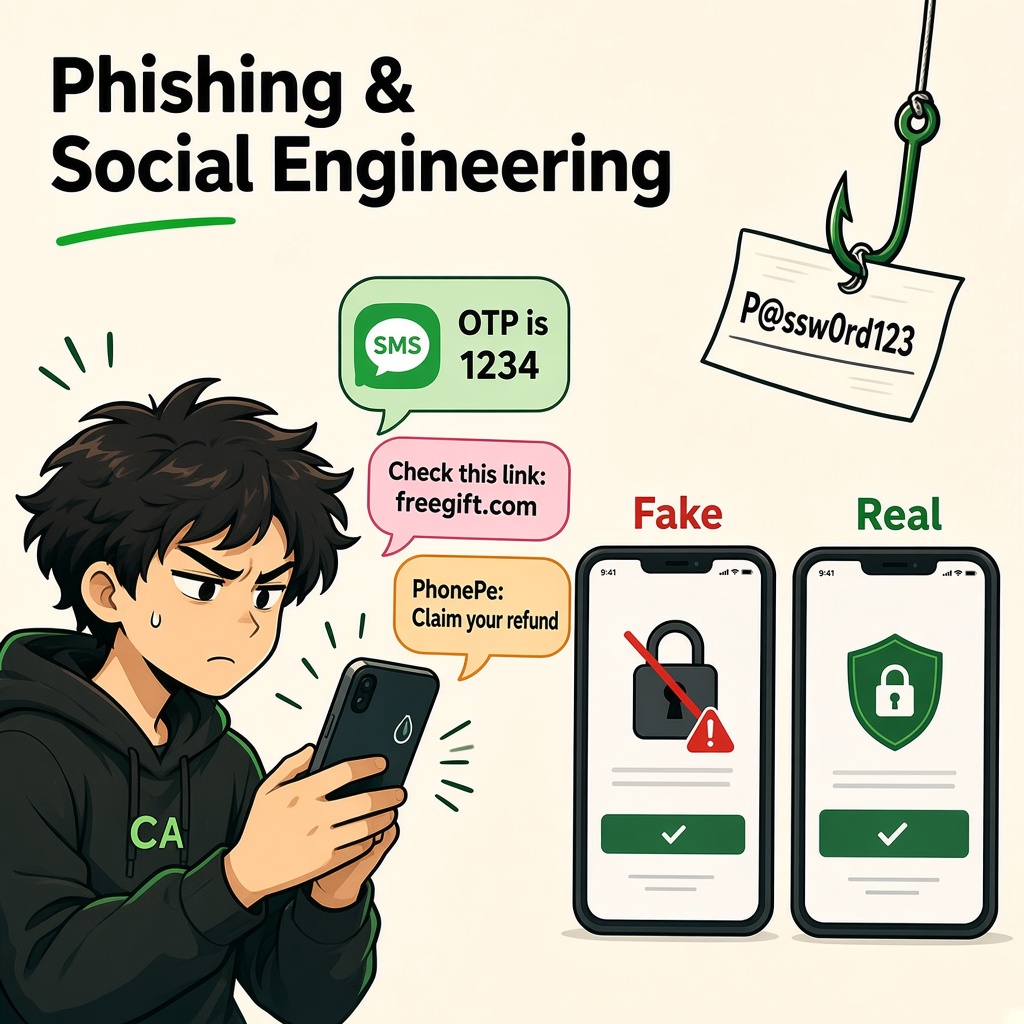
Phishing and Social Engineering
Module 1 · Introduction to Cybersecurity · Beginner Level
Understand how attackers manipulate people, recognize suspicious communication, and protect personal and organizational information.
1. Let's Understand Phishing and Social Engineering
Imagine you receive a message on your phone:
"Your bank account will be blocked today. Complete your KYC verification immediately using the link below."
You become worried because you don't want your bank account to stop working.
You click the link.
A website opens that looks exactly like your bank's official website. It asks for your username, password and OTP.
You enter your details.
But the website is fake. Someone created it to steal your information.
Now think about something important.
Did the attacker break into your phone using a complicated hacking technique?
No.
Instead, the attacker manipulated you into doing something that exposed your information.
This is an example of Phishing and Social Engineering.
What is Phishing?
Phishing is a cyberattack in which attackers pretend to be trusted individuals or organizations to trick people into revealing sensitive information, clicking malicious links, downloading harmful files or performing unauthorized actions.
What is Social Engineering?
Social Engineering is the psychological manipulation of people to make them reveal confidential information or perform actions that compromise security.
Simple difference:
- Phishing is a common technique used to trick people through fake communication.
- Social Engineering is the broader concept of manipulating human behavior.
Phishing is one type of social engineering attack.
Remember: Sometimes attackers don't attack the computer first. They try to manipulate the person using it.
2. Why Do Attackers Target People?
Imagine a company has:
- Strong firewalls.
- Updated computers.
- Antivirus software.
- Secure servers.
- Protected databases.
But an employee receives an email pretending to be from the company's IT department.
The email says:
"Your company account requires verification. Click here to continue."
The employee trusts the email and enters their password on a fake website.
An attacker may now have the employee's credentials.
This is why people are considered an important part of an organization's security.
Attackers often take advantage of human emotions and behavior.
Common Psychological Tricks
1. Fear
"Your bank account will be permanently blocked."
The attacker creates fear so that you act without thinking.
2. Urgency
"Complete this payment within five minutes."
The attacker gives you very little time to verify the request.
3. Curiosity
"Someone has uploaded your private photographs. Click here."
The attacker makes you curious enough to open a suspicious link.
4. Greed
"You have won ₹1,00,000. Claim your prize now."
The attacker uses the promise of money or rewards.
5. Trust
"This is your bank's customer support team."
The attacker pretends to be someone you already trust.
6. Authority
"This is an urgent instruction from your CEO."
The attacker pretends to be someone with authority.
7. Helpfulness
"Please share the verification code so I can complete the process for you."
The attacker takes advantage of your willingness to help.
Important: Attackers often combine multiple psychological tricks in a single message.
3. Different Types of Phishing Attacks
Phishing can happen through emails, SMS, phone calls, social media and other communication channels.
Let's understand the common types.
1. Email Phishing
Attackers send fake emails pretending to be from trusted organizations.
Example:
You receive an email:
"Your Google account storage is full. Verify your account immediately to avoid losing access."
The email contains a link to a fake login page.
If you enter your password, the attacker may capture it.
Warning signs:
- Unexpected account warnings.
- Suspicious sender addresses.
- Unusual links.
- Unexpected attachments.
- Urgent requests for sensitive information.
2. Smishing – SMS Phishing
Smishing means phishing through SMS or text messages.
Example:
You receive a message:
"Your electricity connection will be disconnected tonight. Pay your pending bill immediately using this link."
The link may take you to a fake payment website.
Other examples:
- Fake bank KYC updates.
- Fake delivery notifications.
- Fake refund messages.
- Fake scholarship notifications.
Remember: Smishing = SMS + Phishing.
3. Vishing – Voice Phishing
Vishing is phishing through voice calls.
Attackers call people pretending to be bank employees, customer support representatives or government officials.
Example:
Someone calls you:
"Hello sir, I am calling from your bank. Your account has a security issue. Please tell me the OTP you just received."
The caller is trying to obtain your verification code.
Remember: Never share OTPs, UPI PINs or passwords with callers. A genuine support representative should not ask you to disclose these secrets.
4. Spear Phishing
Spear phishing is a targeted phishing attack aimed at a specific person or organization.
Unlike ordinary phishing messages sent to many people, spear phishing uses information about the intended victim to make the message more convincing.
Example:
An attacker learns that you are a college student participating in a particular internship program.
You receive an email mentioning that internship by name and asking you to open an attached document.
Because the message looks relevant to your activities, you may trust it.
Remember: Spear phishing = Targeted phishing.
5. Whaling
Whaling is a type of targeted phishing that focuses on senior executives or high-ranking individuals.
Targets may include:
- CEOs.
- Company directors.
- Finance heads.
- Senior managers.
Example:
A company's finance director receives an email that appears to come from the CEO.
The email requests an urgent transfer of company funds.
The attacker is attempting to exploit authority and urgency.
Remember: Whaling targets high-value individuals in an organization.
6. Clone Phishing
Clone phishing involves creating a fake copy of a previously legitimate email or message.
The attacker replaces a genuine link or attachment with a malicious one.
Example:
You previously received an email containing a college assignment document.
Later, you receive a similar-looking message claiming to provide an updated version of the same document.
The new attachment is malicious.
Remember: Clone phishing = A fake copy of a trusted communication.
7. QR Code Phishing – Quishing
Quishing is phishing through malicious QR codes.
Example:
You visit a restaurant and find a QR code on a table.
You scan it, expecting to open the menu.
Instead, it opens a suspicious website asking for your personal or payment information.
Remember: Always verify the website and payment recipient before proceeding after scanning a QR code.
4. Social Engineering Attacks Beyond Phishing
Social engineering is broader than fake emails and messages.
Attackers may also manipulate people through physical interactions or other techniques.
1. Pretexting
Pretexting means creating a false identity or believable story to obtain information.
Example:
Someone calls an employee pretending to be from the company's technical support team.
They claim that the employee's account needs verification and ask for confidential login information.
The identity and story are fabricated.
2. Baiting
Baiting involves offering something attractive to encourage someone to perform an unsafe action.
Example:
You find a USB drive labelled "Company Salary Records."
Out of curiosity, you connect it to your office computer.
The USB may contain malicious files.
The attacker uses curiosity as bait.
3. Tailgating
Tailgating happens when an unauthorized person follows an authorized person into a restricted physical area without proper access verification.
Example:
An employee opens the office security door using an access card.
A stranger follows them inside without using their own authorized credentials.
4. Quid Pro Quo
Quid pro quo means offering something in exchange for information or access.
Example:
Someone pretends to be technical support and offers to fix your computer problem.
In exchange, they ask you to provide your login credentials or install an unknown application.
5. Impersonation
Impersonation means pretending to be another person or trusted organization.
Example:
An attacker creates a fake social media account using your friend's name and photograph.
They message you asking for money.
The attacker is pretending to be someone you know.
5. How to Identify a Phishing Message
Let's learn how to recognize suspicious communication.
Imagine you receive this email:
Subject: URGENT! Your Gmail Account Will Be Deleted Today!
"Dear User,
Your Gmail account has been temporarily suspended. To restore your access, click the verification link below and enter your login credentials.
Failure to verify within 30 minutes will result in permanent account deletion."
What looks suspicious?
- The email creates unnecessary urgency.
- It uses a generic greeting.
- It threatens account deletion.
- It asks you to click an unexpected link.
- It requests sensitive login information.
These are common phishing warning signs.
Seven Warning Signs
1. Suspicious Sender
The sender's email address may contain spelling mistakes or an unfamiliar domain.
2. Unexpected Urgency
The message says you must act immediately.
3. Suspicious Links
The displayed link may not match the actual destination.
4. Unexpected Attachments
The message asks you to open an unfamiliar file.
5. Requests for Sensitive Information
The sender asks for passwords, OTPs, PINs or recovery codes.
6. Unusual Language
The message may contain strange wording, grammatical errors or unusual formatting.
7. Unexpected Requests for Money
Someone suddenly asks you to transfer money or change payment details.
Important: Modern phishing messages can be professionally written and may use correct logos, names and grammar. A message looking professional does not prove that it is genuine.
6. How to Verify Whether a Message Is Genuine
Never trust a message only because it looks official.
Follow these verification steps.
Step 1 – Check the Sender
Carefully inspect the sender's full email address or phone number.
Do not trust only the display name.
Step 2 – Check the Website Address
Look carefully at the actual destination of the link.
For example:
google.com– Google's actual domain.gooogle.com– A different domain that may be used to imitate Google.
A small spelling difference can matter.
Also remember that attackers can use convincing subdomains, shortened links and compromised legitimate websites.
Step 3 – Avoid Unexpected Attachments
Do not open suspicious files just because they appear to come from someone familiar.
Verify with the sender through a separate trusted communication channel.
Step 4 – Open the Official Application Yourself
Instead of clicking an unexpected link:
- Open your banking application directly.
- Visit the official website by entering its known address.
- Contact customer support using verified contact details.
- Check account notifications inside the official application.
Step 5 – Verify Unusual Requests Separately
If your manager requests an urgent payment, call them using a known number.
If your friend asks for money through WhatsApp, confirm with them through another trusted method.
Remember: Verification should happen through a separate, trusted channel—not by replying to the suspicious message.
7. The STOP Method – A Simple Safety Habit
Before clicking any suspicious link or responding to an unexpected request, remember STOP.
S – Sender
Who sent the message? Is the sender genuine?
T – Too Urgent?
Is someone creating unnecessary fear, pressure or urgency?
O – Official Channel
Can you verify the request through the official website, app or known contact number?
P – Protect Your PIN and Password
Never share your OTP, UPI PIN, password or recovery codes.
Example
You receive an SMS:
"Your PhonePe refund is pending. Click here and enter your UPI PIN to receive the money."
Apply STOP:
- S: Is this message genuinely from PhonePe?
- T: Why is it creating urgency?
- O: Can I check my transaction inside the official application?
- P: Why should I enter my UPI PIN on an unknown website?
The correct action is to avoid the link and verify the transaction through the official application.
Remember: A UPI PIN is used to authorize payments, not to receive money.
8. How Can You Protect Yourself?
Follow these simple practices.
- Never share OTPs, passwords or UPI PINs.
- Enable MFA on important accounts.
- Avoid clicking unexpected links.
- Verify email addresses and website domains.
- Never download suspicious attachments.
- Use official applications and websites.
- Verify unusual payment requests independently.
- Report suspicious messages to the relevant platform or organization.
- Keep your browser and operating system updated.
- Use a password manager to reduce the risk of password reuse.
What Should Companies Do?
Organizations must also protect employees from social engineering attacks.
Some important security measures include:
- Regular employee security awareness training.
- Email spam and phishing filters.
- MFA for company accounts.
- Clear procedures for financial approvals.
- Verification of sensitive requests.
- Restricted access to confidential information.
- Incident reporting procedures.
- Approved phishing awareness simulations.
Security awareness should be continuous, not limited to a single training session.
9. What Should You Do If You Accidentally Click a Phishing Link?
First, don't panic.
The correct response depends on what happened.
Situation A: You Only Opened the Link
- Close the suspicious website.
- Do not download files or enter information.
- Check for unexpected downloads.
- Run a security scan if you suspect malicious activity.
Opening a link does not automatically mean your account or device is compromised.
Situation B: You Entered Your Password
- Use a separate trusted device.
- Change the affected password immediately.
- Change reused passwords on other accounts.
- Enable MFA.
- Review active sessions and sign out unknown devices.
- Check account recovery settings.
Situation C: You Shared an OTP or UPI PIN
- Contact your bank or payment provider immediately through verified channels.
- Ask them to secure or block affected payment services as appropriate.
- Check recent transactions.
- Report unauthorized transactions immediately.
- In India, report financial cyber fraud through the official cybercrime helpline 1930 and the National Cyber Crime Reporting Portal at cybercrime.gov.in.
Situation D: You Downloaded and Opened a Suspicious File
- Disconnect the affected device from the network if malware infection is suspected.
- Avoid connecting backup drives.
- Inform your organization's IT or security team if it is a work device.
- Use trusted security support to investigate and recover safely.
Important: Acting quickly can reduce damage. Do not wait if money or sensitive account information is involved.
12. Lesson Summary
By completing this lesson, you should understand:
- What phishing means.
- What social engineering means.
- Why attackers target human behavior.
- Common psychological manipulation techniques.
- Email, SMS and voice phishing.
- Spear phishing, whaling and clone phishing.
- QR code phishing.
- Pretexting, baiting, tailgating and impersonation.
- How to identify suspicious messages.
- How to verify requests safely.
- The STOP method.
- What to do after interacting with a phishing message.
Key takeaway:
A secure digital environment requires more than firewalls, antivirus software and strong passwords.
People must also learn to recognize manipulation, question unexpected requests and verify information before taking action.
Think before you click. Verify before you trust. Protect before you share.
Coming Next: Password Security and Authentication
You now understand how attackers try to steal information by manipulating people.
In the next lesson, you will learn how passwords work, why weak and reused passwords are dangerous, how password managers help, and how Multi-Factor Authentication protects your accounts.
CYNARKS Academy – Learn to Understand. Practice to Defend.
Study phishing techniques only for awareness and authorized educational simulations. Never send deceptive messages to real people or collect their credentials without explicit authorization.
End of lesson
Quiz · Tasks · Labs
Pass the quiz (≥70%), check off tasks, then mark the lesson complete to earn Foundations badges.
Scenario check
Real situations — apply the lesson logic; avoid pure memorization.
Answer all, then submit1. What is phishing?
2. What is the difference between phishing and social engineering?
3. An attacker sends a fake SMS asking you to update your bank KYC through a suspicious link. What is this called?
4. An attacker sends a carefully prepared fake email specifically targeting a company's finance manager. What is this called?
5. Someone calls you pretending to be a bank employee and asks for your OTP. What type of attack is this?
6. An unauthorized person follows an employee into a restricted office area without using an access card. What is this called?
7. Why should you verify an unexpected payment request through a separate communication channel?
8. What should you do if someone asks for your UPI PIN to receive a refund?
Lesson tasks
Practice labs
Required labs test this lesson’s skills. Related labs are optional previews.
- RequiredInspect the Login RequestWeb Security
- RequiredSecurity Header PickWeb Security
Finish the quiz and tasks to unlock Mark as completed.