Lesson 10 of 32 · ~22 min
TCP vs UDP and Common Ports
Reliability trade-offs and port numbers.
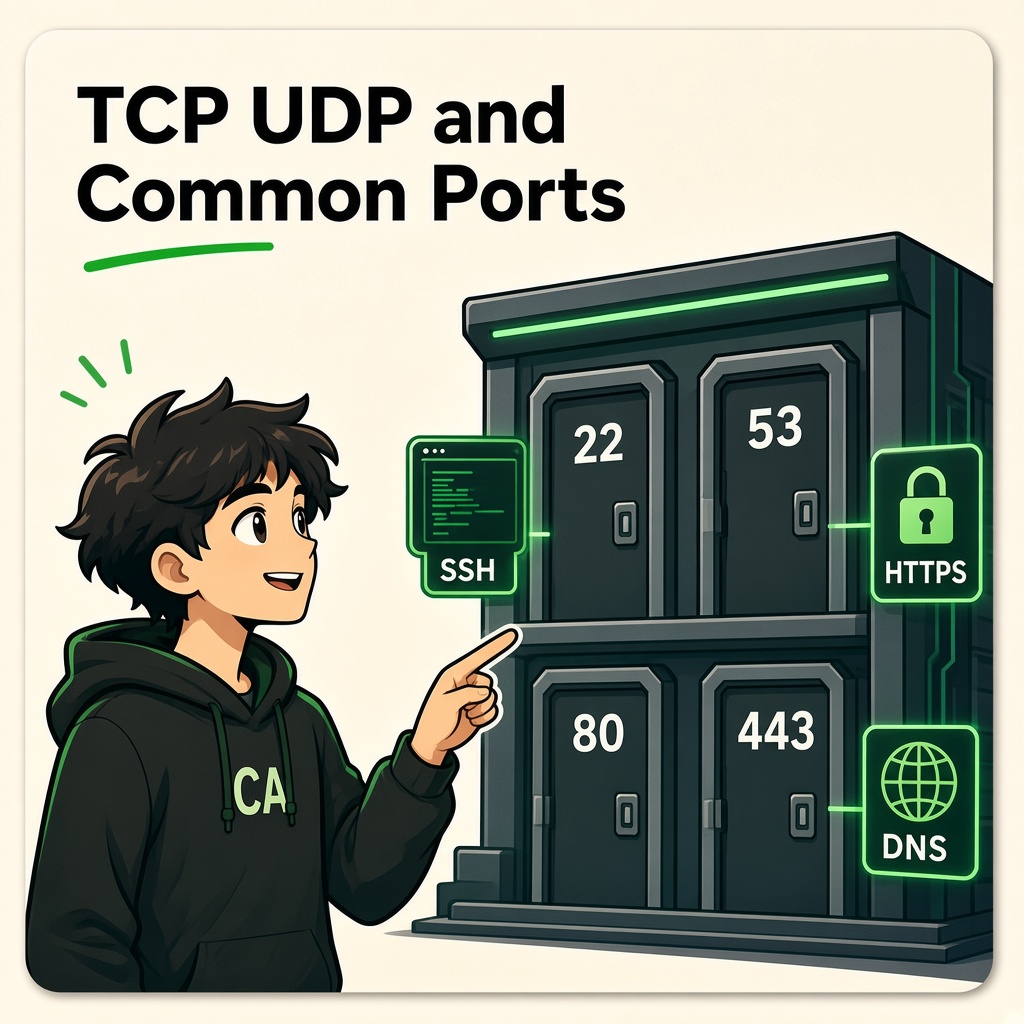
TCP, UDP and Common Ports
Course: Network Security
Level: Beginner
Topic: Transport Protocols, Port Numbers, Network Services and Firewall Security
1. Introduction
When you open a website, send an email, connect to a server, or use a mobile application, your device communicates with other devices through network protocols.
But imagine one server is running multiple services:
- A website.
- An email service.
- A remote administration service.
- A DNS service.
- A database.
How does the server know which application should receive incoming network traffic?
This is where port numbers become important.
A port number identifies a particular communication endpoint associated with an application or service.
In simple words:
- IP address = Identifies the network destination.
- Port number = Identifies the communication endpoint on that destination.
- TCP and UDP = Transport protocols used to carry application data.
2. What Is a Port Number?
A port number is a 16-bit number used by TCP and UDP to identify application communication endpoints.
Port numbers range from:
0 to 65535
Think of a computer as a large office building.
- IP address = Building address.
- Port number = Room number.
- Application or service = Person or department inside the room.
For example:
A web server may use:
- TCP port 80 for HTTP.
- TCP port 443 for HTTPS.
A server can run multiple network services using different port numbers.
Example
Imagine a server has the IP address:
192.168.1.100
It may provide:
| IP address | Port | Service |
|---|---|---|
| 192.168.1.100 | 80 | HTTP |
| 192.168.1.100 | 443 | HTTPS |
| 192.168.1.100 | 22 | SSH |
| 192.168.1.100 | 3389 | RDP |
The IP address identifies the server, while the port helps identify the intended service.
Important: A port number alone does not prove which application is running. Services can use non-default ports, and different services can share the same numerical port when using different transport protocols.
3. What Are TCP and UDP?
TCP and UDP are two major transport-layer protocols.
They help applications communicate across networks.
TCP – Transmission Control Protocol
TCP provides reliable, ordered byte-stream communication between applications.
Important features:
- Connection establishment.
- Acknowledgements.
- Retransmission of missing data.
- Ordered delivery.
- Flow control.
- Congestion control.
Example: When downloading a file, you generally need the complete file without missing or incorrectly ordered data. TCP is commonly used for this type of communication.
UDP – User Datagram Protocol
UDP provides connectionless datagram communication.
Important features:
- Lower protocol overhead.
- No built-in delivery guarantee.
- No built-in ordering guarantee.
- No built-in retransmission mechanism.
- Applications can implement their own recovery mechanisms.
Example: Real-time voice and video applications may use UDP because timely delivery can be more important than retransmitting old data.
4. TCP vs UDP Comparison
| Feature | TCP | UDP |
|---|---|---|
| Communication | Connection-oriented | Connectionless |
| Delivery guarantee | Reliable delivery mechanisms | No built-in guarantee |
| Ordering | Ordered byte stream | No built-in ordering |
| Acknowledgements | Yes | No built-in acknowledgements |
| Retransmission | Yes | No built-in retransmission |
| Overhead | Generally higher | Generally lower |
| Common examples | HTTPS over HTTP/1.1 or HTTP/2, SSH, SMTP | DNS queries, voice/video traffic, QUIC |
When should applications use TCP?
TCP is useful when applications need:
- Reliable data delivery.
- Ordered communication.
- Retransmission of missing data.
- Continuous data streams.
Examples include:
- File transfers.
- SSH connections.
- Email protocols.
- HTTP/1.1 and HTTP/2 over TLS.
When should applications use UDP?
UDP is useful when applications prefer:
- Lower protocol overhead.
- Fast message exchange.
- Application-controlled delivery behavior.
- Real-time communication.
Examples include:
- DNS queries.
- Voice communication.
- Video communication.
- Online gaming.
- QUIC transport used by HTTP/3.
Remember: TCP is not always better than UDP. The right protocol depends on what the application needs.
5. What Is the TCP Three-Way Handshake?
Before TCP exchanges application data, it normally establishes a connection using a process called the three-way handshake.
It uses three main messages.
Step 1: SYN
The client sends a SYN message to request a TCP connection.
Step 2: SYN-ACK
The server responds with SYN-ACK to acknowledge the request and indicate its own connection parameters.
Step 3: ACK
The client sends an ACK to acknowledge the server's response.
The TCP connection is now established.
Simple example
Imagine your browser connects to a web server.
- Browser → Server: SYN
- Server → Browser: SYN-ACK
- Browser → Server: ACK
After successful connection establishment, application data can be exchanged.
Security importance:
Attackers may misuse TCP connection handling through techniques such as SYN floods, which attempt to exhaust server resources.
Organizations use controls such as rate limiting, SYN cookies, traffic filtering, and DDoS protection to reduce the impact.
6. Understanding Port Number Ranges
Port numbers are divided into three major ranges.
| Port range | Category | Description |
|---|---|---|
| 0–1023 | Well-known ports | Common standard services |
| 1024–49151 | Registered ports | Registered application services |
| 49152–65535 | Dynamic/private ports | Commonly used for temporary client-side connections |
These ranges help organize port assignments.
Example: Temporary client ports
Your laptop connects to an HTTPS server.
- Client IP:
192.168.1.10 - Client port:
51520 - Server IP:
203.0.113.10 - Server port:
443
The client uses a temporary source port to identify its side of the communication.
The server uses port 443 for HTTPS.
The actual temporary port can vary.
7. Common Ports You Must Recognize
As a cybersecurity student, you should recognize commonly used ports and understand the services associated with them.
Web Services
| Port | Protocol | Service | Purpose |
|---|---|---|---|
| 80 | TCP | HTTP | Standard unencrypted web communication |
| 443 | TCP | HTTPS | HTTPS over TCP |
| 443 | UDP | QUIC / HTTP/3 | Modern web transport using QUIC |
Remote Administration
| Port | Protocol | Service | Purpose |
|---|---|---|---|
| 22 | TCP | SSH | Secure remote administration |
| 23 | TCP | Telnet | Unencrypted remote terminal |
| 3389 | TCP/UDP | RDP | Windows Remote Desktop |
DNS and Network Configuration
| Port | Protocol | Service | Purpose |
|---|---|---|---|
| 53 | UDP/TCP | DNS | Domain name resolution |
| 67 | UDP | DHCP Server | Provides IPv4 configuration |
| 68 | UDP | DHCP Client | Receives IPv4 configuration |
| 123 | UDP | NTP | Network time synchronization |
| 161 | UDP | SNMP | Network monitoring and management |
| 162 | UDP | SNMP Trap | Receives SNMP notifications |
Email Services
| Port | Protocol | Service | Purpose |
|---|---|---|---|
| 25 | TCP | SMTP | Server-to-server email transfer |
| 110 | TCP | POP3 | Email retrieval |
| 143 | TCP | IMAP | Email access and synchronization |
| 465 | TCP | SMTP over implicit TLS | Secure email submission |
| 587 | TCP | SMTP Submission | Email submission, commonly with STARTTLS |
| 993 | TCP | IMAPS | IMAP over TLS |
| 995 | TCP | POP3S | POP3 over TLS |
File Transfer and Database Services
| Port | Protocol | Service | Purpose |
|---|---|---|---|
| 20/21 | TCP | FTP | File transfer |
| 22 | TCP | SFTP over SSH | Secure file transfer |
| 445 | TCP | SMB | Windows file and printer sharing |
| 1433 | TCP | Microsoft SQL Server | Database connectivity |
| 1521 | TCP | Oracle Database | Database connectivity |
| 3306 | TCP | MySQL | Database connectivity |
| 5432 | TCP | PostgreSQL | Database connectivity |
| 6379 | TCP | Redis | In-memory data store |
| 27017 | TCP | MongoDB | Database connectivity |
Important: These are common default ports, not guaranteed service identifiers. Services can be configured to listen on different ports.
8. Why Are Open Ports Important in Cybersecurity?
An open port usually indicates that a service is listening for network connections.
For example:
A server has:
- Port 443 open.
- Port 22 open.
- Port 3389 open.
- Port 3306 open.
A security analyst should investigate:
- Which service is listening?
- Is the service required?
- Is it exposed to the internet or only an internal network?
- Is the software updated?
- Is authentication properly configured?
- Is access restricted to authorized users?
- Are logs and monitoring enabled?
Open Port vs Vulnerable Port
These terms are different.
Open port: A service is accepting or listening for network connections.
Vulnerable service: A service has a weakness that could be exploited under certain conditions.
An open port is not automatically a security vulnerability.
However, unnecessary exposed services increase the attack surface.
9. What Is a Firewall Rule?
A firewall controls network traffic using configured security policies.
A firewall rule may consider:
- Source IP address.
- Destination IP address.
- Source port.
- Destination port.
- Transport protocol.
- Connection state.
- Network zone.
Example
Imagine an organization has a public web server.
It may configure rules such as:
| Source | Destination | Port | Action |
|---|---|---|---|
| Internet | Web server | TCP 443 | Allow |
| Internet | Web server | TCP 80 | Allow if needed for redirect |
| Internet | Database server | TCP 3306 | Deny |
| Approved admin network | Server | TCP 22 | Allow |
| Guest network | Internal servers | Any unnecessary access | Deny |
These are illustrative policies.
Security principle: Allow only the communication required for business operations.
This is called the principle of least privilege applied to network access.
10. Why Exposed RDP Is Dangerous
RDP stands for Remote Desktop Protocol.
It allows users to access and control Windows systems remotely.
The commonly used default port is TCP 3389. RDP can also use UDP 3389.
What can go wrong?
If RDP is exposed directly to the public internet without adequate controls:
- Attackers may attempt password guessing.
- Stolen credentials may be reused.
- Vulnerable systems may be targeted.
- Unauthorized users may gain remote access.
- Attackers may move further into the organization.
RDP exposure is a common risk in ransomware incidents.
Recommended protection
- Avoid exposing RDP directly to the public internet.
- Use a properly secured VPN or remote access gateway.
- Enable MFA.
- Restrict access using allowlists and network policies.
- Use strong, unique credentials.
- Apply security updates.
- Monitor authentication attempts.
- Disable RDP when it is not required.
Remember: Port 3389 open to the entire internet is a serious exposure that deserves investigation.
11. Real-World Case Study: Ransomware Through Exposed Remote Access
Ransomware incidents have repeatedly involved attackers gaining access through exposed remote services or stolen remote access credentials.
RDP has been one of the services abused in these intrusion patterns.
A simplified attack scenario
- An organization exposes RDP to the internet.
- Attackers discover the exposed service.
- They attempt password guessing or use stolen credentials.
- If access is successful, they may establish remote access.
- They may explore the internal environment.
- They may steal information or deploy ransomware.
This is a simplified scenario, not a description of every ransomware incident.
Security lessons
- Restrict remote administration.
- Use MFA.
- Monitor unusual login attempts.
- Keep remote access systems updated.
- Segment administrative systems.
- Maintain tested backups.
- Investigate unexpected remote sessions.
Key lesson: Remote administration should be available only to authorized users through controlled access paths.
12. Real-World Case Study: Mirai Botnet (2016)
Mirai was malware that compromised vulnerable Internet of Things (IoT) devices, including cameras and routers.
It commonly targeted devices using weak or default credentials.
Compromised devices were organized into a botnet and used to launch large DDoS attacks.
One major incident affected Dyn's DNS infrastructure in 2016.
What went wrong?
- Devices had weak or default credentials.
- Some IoT devices were poorly secured.
- Large numbers of compromised devices generated attack traffic.
- The botnet caused disruption to internet services.
Security lessons
- Change default device credentials.
- Disable unnecessary remote administration.
- Update router and camera firmware.
- Separate IoT devices from important systems.
- Monitor unexpected network traffic.
- Replace unsupported devices.
Key lesson: Even small devices such as CCTV cameras and routers can become part of large cyberattacks when poorly secured.
13. What Is Port Scanning?
Port scanning is a technique used to identify which ports on a target system are open, closed, or filtered.
Security professionals use authorized port scanning to understand a system's exposed services.
Common port states
Open: A service is accepting connections.
Closed: The destination is reachable, but no service is listening on that port.
Filtered: A firewall or network control prevents the scanner from determining the port's actual state.
Why do security teams scan ports?
- Discover exposed services.
- Identify unnecessary services.
- Review firewall configurations.
- Find unexpected network exposure.
- Support authorized security assessments.
What is Nmap?
Nmap is a widely used network discovery and security auditing tool.
It can help identify:
- Hosts.
- Open ports.
- Service information.
- Potentially exposed systems.
Port scanning must be performed only on systems and networks where you have explicit authorization.
14. Tools You Will Meet
1. Nmap
Used for authorized network discovery and port auditing.
Example command for your own lab machine:
nmap 127.0.0.1
This checks the local machine.
2. Netstat
Displays network connections and listening ports.
Windows:
netstat -ano
Linux:
ss -tuln
3. Wireshark
Helps inspect network traffic and identify transport protocols and port numbers.
Useful display filters:
TCP:
tcp
UDP:
udp
HTTPS over TCP:
tcp.port == 443
DNS:
dns
RDP:
tcp.port == 3389 || udp.port == 3389
Use packet captures from your own device or an authorized lab.
15. Practical Lab 1: Identify Listening Ports on Your Computer
Objective: Understand which services are listening on your own device.
Windows
Open Command Prompt:
netstat -ano
To display listening TCP ports:
netstat -ano | findstr LISTENING
To identify the process using a PID:
tasklist /FI "PID eq 1234"
Replace 1234 with the actual PID from your output.
Linux
Run:
ss -tuln
To view process information where permissions allow:
sudo ss -tulpn
Your task
Record:
- Which TCP ports are listening?
- Which UDP ports are present?
- Which applications own the listening services?
- Are there services you do not recognize?
- Which services are necessary?
Do not disable services unless you understand their purpose and have permission to change the system.
16. Practical Lab 2: Understand TCP and UDP Traffic
Objective: Observe the difference between TCP and UDP traffic.
Use Wireshark on your own machine.
Start a capture on your own active network interface.
Try these display filters:
TCP:
tcp
UDP:
udp
DNS:
dns
Observe:
- Source IP.
- Destination IP.
- Source port.
- Destination port.
- Transport protocol.
Your task
Find one TCP packet and one UDP packet.
Record:
| Field | TCP example | UDP example |
|---|---|---|
| Source IP | ||
| Destination IP | ||
| Source port | ||
| Destination port | ||
| Protocol | TCP | UDP |
Do not capture or inspect other people's traffic without authorization.
17. Practical Challenge: Secure a Small Company Server
Scenario
A company has one server with the following exposed ports:
| Port | Service |
|---|---|
| 22 | SSH |
| 80 | HTTP |
| 443 | HTTPS |
| 3389 | RDP |
| 3306 | MySQL |
You are asked to review its security.
Your tasks
- Identify which ports are needed for public website access.
- Decide whether SSH should be available to everyone.
- Decide whether RDP should be exposed directly to the internet.
- Determine whether MySQL needs public access.
- Propose firewall rules.
- Recommend MFA and monitoring for remote administration.
- Explain how network segmentation can protect the database.
Expected security approach:
- Public web access should be limited to required web services.
- SSH should be restricted to approved administrative sources.
- RDP should use controlled remote access.
- MySQL should be accessible only from approved application or administration networks.
- Unnecessary services should be disabled or blocked.
18. Knowledge Check
Q1. What is a port number used for?
A. Identifying an application communication endpoint
B. Increasing monitor resolution
C. Assigning a MAC address
D. Encrypting a hard disk
Q2. Which transport protocol provides reliable, ordered byte-stream communication?
A. UDP
B. TCP
C. ARP
D. DNS
Q3. Which port is commonly used for HTTPS over TCP?
A. 21
B. 22
C. 80
D. 443
Q4. Which port is commonly associated with SSH?
A. 22
B. 53
C. 110
D. 3389
Q5. Which port is commonly associated with RDP?
A. 25
B. 53
C. 3389
D. 443
Q6. What does an open port normally indicate?
A. A service is listening and accepting connections
B. A device is automatically infected
C. A firewall is disabled
D. A server has no vulnerabilities
Q7. Which tool is commonly used for network discovery and port scanning?
A. Photoshop
B. Nmap
C. Excel
D. Notepad
Q8. Why should database ports generally not be exposed to the public internet unnecessarily?
A. They increase the attack surface
B. They improve website design
C. They increase screen brightness
D. They change MAC addresses
Answer Key
- A
- B
- D
- A
- C
- A
- B
- A
19. Lesson Summary
After completing this lesson, you should understand:
- What port numbers are.
- How IP addresses and port numbers work together.
- The differences between TCP and UDP.
- How the TCP three-way handshake works.
- The three major port number ranges.
- Common ports used by web, email, DNS, remote access, and database services.
- What open, closed, and filtered ports mean.
- How firewalls control network access.
- Why exposed RDP and database services are dangerous.
- How ransomware operators may misuse remote access.
- How IoT devices can be abused in botnets.
- How to inspect listening ports using system tools.
- How Nmap and Wireshark support authorized security assessments.
Remember: Every exposed service is a potential entry point that must be justified, protected, and monitored.
Coming Next: MAC Addresses and ARP
In the next lesson, you will learn:
- What a MAC address is.
- MAC address vs IP address.
- How ARP works.
- How devices discover other devices on a local network.
- What ARP requests and replies look like.
- ARP spoofing and ARP poisoning.
- How attackers misuse local network communication.
- How defenders detect and prevent ARP-based attacks.
End of lesson
Quiz · Tasks · Labs
Pass the quiz (≥70%), check off tasks, then mark the lesson complete to earn Foundations badges.
Scenario check
Real situations — apply the lesson logic; avoid pure memorization.
Answer all, then submit1. What is a port number used for?
2. Which transport protocol provides reliable, ordered byte-stream communication?
3. Which port is commonly used for HTTPS over TCP?
4. Which port is commonly associated with SSH?
5. Which port is commonly associated with RDP?
6. What does an open port normally indicate?
7. Which tool is commonly used for network discovery and port scanning?
8. Why should database ports generally not be exposed to the public internet unnecessarily?
Lesson tasks
Practice labs
Required labs test this lesson’s skills. Related labs are optional previews.
- RequiredOSI Map & HandshakeNetworking
- RequiredHandshake OrderNetworking
Finish the quiz and tasks to unlock Mark as completed.