Lesson 29 of 32 · ~22 min
Firewall Behavior
Allow/deny thinking and logging.
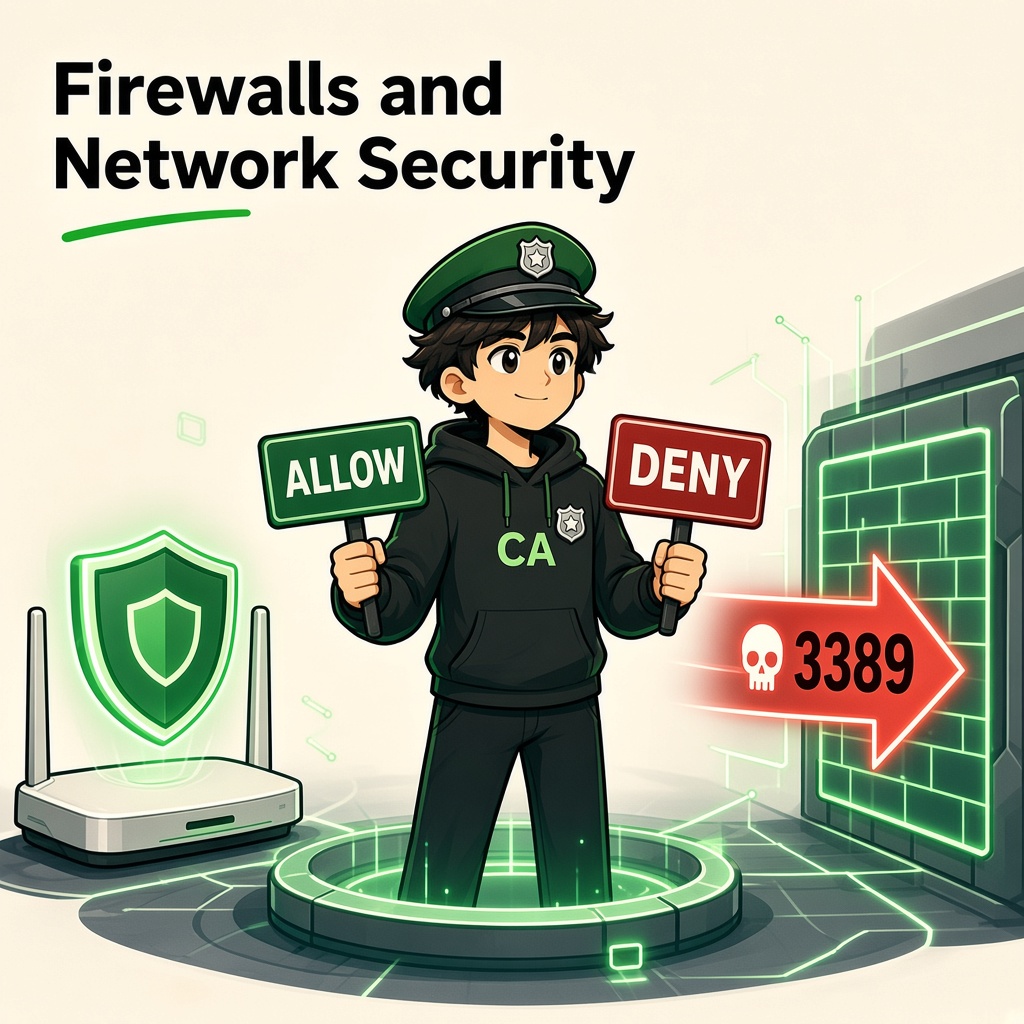
Firewalls and Network Security
Course: Network Security
Level: Beginner
Topic: Firewall Types, Security Rules, Traffic Filtering and Network Monitoring
1. Introduction
Every organization has devices, servers, applications, and users communicating across networks.
But should every device be allowed to communicate with every other device?
Definitely not.
For example:
- A guest using office Wi-Fi should not access employee computers.
- A website visitor should not directly access the company's database.
- An unknown internet user should not connect to an internal administration server.
- Only authorized administrators should manage critical infrastructure.
This is where a firewall becomes important.
A firewall is a security system that monitors and controls network traffic based on predefined security rules.
In simple words: A firewall acts like a security gate that decides which network connections are allowed and which should be blocked.
2. What Is a Firewall?
A firewall is a hardware-based, software-based, or cloud-based security control that filters network traffic.
It can inspect traffic based on:
- Source IP address.
- Destination IP address.
- Source port.
- Destination port.
- Network protocol.
- Connection state.
- Application information.
- User or device identity, depending on the firewall.
Everyday example
Imagine an office building.
- Visitors enter through the main gate.
- Employees use authorized entry cards.
- Restricted rooms require additional permission.
- Security guards record suspicious activities.
A firewall works similarly by controlling network communication.
Example
A company has a web server and a database server.
The firewall may allow:
- Internet users to access the website through HTTPS.
- The web server to connect to the database.
- Authorized administrators to manage servers.
It may block:
- Direct internet access to the database.
- Unapproved remote desktop connections.
- Guest Wi-Fi access to internal systems.
3. Why Do Organizations Need Firewalls?
Without network access controls, devices may communicate with systems that they should never reach.
Firewalls help organizations:
- Prevent unauthorized network access.
- Protect internal servers.
- Restrict unnecessary services.
- Separate guest and corporate networks.
- Control remote administration.
- Reduce the attack surface.
- Monitor suspicious traffic.
- Enforce organizational security policies.
Example: College Network
A college may have:
- Student Wi-Fi.
- Faculty network.
- Administration network.
- Examination servers.
- CCTV network.
- Guest Wi-Fi.
A properly designed firewall policy can restrict communication between these networks.
For example, guest Wi-Fi should not directly access examination servers.
4. How Does a Firewall Work?
A firewall examines network traffic and compares it with configured rules.
Based on the rules, it may:
- Allow traffic.
- Block traffic.
- Reject traffic.
- Log traffic.
- Inspect traffic more deeply.
Example: Firewall Rule
Imagine a company has a public web server.
| Source | Destination | Protocol | Port | Action |
|---|---|---|---|---|
| Internet | Web server | TCP | 443 | Allow |
| Internet | Web server | TCP | 80 | Allow if required |
| Internet | Database | TCP | 3306 | Deny |
| Guest Wi-Fi | Internal servers | Any | Any | Deny |
| Approved admin network | Server | TCP | 22 | Allow |
These are illustrative rules. Actual firewall configurations must account for application requirements, network architecture, and return traffic.
Understanding Allow and Deny
Allow: Permits matching traffic.
Deny: Blocks matching traffic, usually silently.
Reject: Blocks traffic and may send a response indicating that the connection was refused.
Log: Records information about matching traffic.
A firewall rule can combine an action with logging.
5. What Is Default Deny?
Default deny is a security approach where traffic is blocked unless an explicit rule allows it.
Imagine a company's firewall.
Instead of allowing everything and blocking only known threats, the organization allows only required communication.
Example:
- Allow internet access to the public web server on TCP 443.
- Allow application servers to reach the database on its required port.
- Allow administration only from approved management systems.
- Deny unnecessary inbound traffic.
Default Deny vs Default Allow
| Feature | Default Deny | Default Allow |
|---|---|---|
| Starting position | Block unless permitted | Allow unless blocked |
| Security approach | More restrictive | More permissive |
| Attack surface | Usually smaller | Can be larger |
| Rule management | Requires careful planning | Can leave unnecessary access |
| Common security preference | Recommended for sensitive access policies | Requires strong justification |
Remember: Default deny does not mean blocking all traffic permanently. It means explicitly allowing only what is needed.
6. Types of Firewalls
Different firewalls protect different parts of an organization's infrastructure.
1. Packet-Filtering Firewall
Examines packet information such as:
- Source IP.
- Destination IP.
- Protocol.
- Port numbers.
It uses configured rules to allow or block packets.
Example: Allow TCP traffic to port 443 and block unauthorized inbound traffic to port 3389.
2. Stateful Firewall
A stateful firewall tracks the state of network connections.
For example:
- An employee starts an approved HTTPS connection.
- The firewall records the connection state.
- Response traffic belonging to that established connection can be permitted according to the firewall policy.
This is different from evaluating every packet without connection context.
3. Proxy Firewall
A proxy firewall acts as an intermediary between clients and destination services.
Instead of directly connecting to the destination, a client communicates through the proxy.
It can apply policies and inspect application-level requests, depending on its capabilities.
4. Next-Generation Firewall (NGFW)
A Next-Generation Firewall provides advanced network protection features.
Depending on the product, these may include:
- Deep packet inspection.
- Application awareness.
- Intrusion prevention.
- Threat intelligence.
- Malware detection.
- User-based policies.
- URL filtering.
5. Host-Based Firewall
A host-based firewall runs on an individual computer or server.
Examples:
- Windows Defender Firewall.
- Linux firewall configurations using nftables or firewalld.
- macOS application firewall.
It protects the individual host by controlling incoming and outgoing connections.
6. Web Application Firewall (WAF)
A WAF protects web applications by inspecting HTTP and HTTPS requests.
It can help defend against attacks such as:
- SQL injection.
- Cross-site scripting.
- Malicious request patterns.
- Certain application-layer abuse.
Important: A WAF is not a replacement for secure application development, input validation, authentication, or patching.
Firewall Type Summary
| Type | Main purpose |
|---|---|
| Packet filtering | Filter traffic using packet information |
| Stateful firewall | Track connection state |
| Proxy firewall | Intermediary application communication |
| NGFW | Advanced network inspection and prevention |
| Host-based firewall | Protect an individual device |
| WAF | Protect web applications |
7. Network Firewall vs Host-Based Firewall vs WAF
These three controls are related but protect different areas.
| Feature | Network firewall | Host-based firewall | WAF |
|---|---|---|---|
| Protects | Network boundaries | Individual systems | Web applications |
| Traffic focus | Network connections | Host traffic | HTTP/HTTPS requests |
| Example | Office gateway firewall | Windows Firewall | Cloudflare WAF |
| Main goal | Control network access | Restrict device connections | Filter malicious web requests |
Example
Imagine a company hosts an online payment application.
- Network firewall restricts access to the server network.
- Host firewall controls connections to the application server.
- WAF filters suspicious web requests.
- Application security controls protect authentication, authorization, and payment logic.
This is an example of layered security.
8. What Is Network Segmentation?
Network segmentation means dividing a network into separate security zones.
Firewalls or other network controls can enforce policies between these zones.
Example: CYNARKS Office Network
Imagine CYNARKS has these systems:
| Network zone | Example systems | Access requirement |
|---|---|---|
| Employee network | Staff laptops | Approved business services |
| Administration | Management computers | Restricted business systems |
| Training lab | Student lab machines | Authorized lab resources |
| Server network | Internal applications | Restricted access |
| Guest network | Visitor devices | Internet access only |
| CCTV network | Security cameras | Approved monitoring systems |
Why is segmentation important?
Imagine one student lab computer becomes infected.
If every device can communicate freely, malware may attempt to reach internal servers.
With proper segmentation:
- Student devices cannot freely access administration systems.
- Guest devices cannot access internal file shares.
- CCTV devices cannot connect unnecessarily to business systems.
- Critical servers are accessible only through approved paths.
Key lesson: Segmentation limits unnecessary communication and helps reduce the impact of a compromised device.
9. What Are Cloud Security Groups?
Cloud platforms provide network access controls for cloud resources.
For example, in cloud environments, you may encounter:
- AWS Security Groups.
- AWS Network ACLs.
- Azure Network Security Groups.
- Google Cloud firewall rules.
These controls determine which network connections are allowed to reach cloud resources.
Example: Cloud Web Application
Imagine a cloud application has:
- Public web server.
- Private application server.
- Private database server.
An appropriate access policy might be:
- Internet users can access the public web server on HTTPS.
- The web server can communicate with the application server on required ports.
- The application server can communicate with the database on its required port.
- Internet users cannot directly access the database.
- Administrative access is restricted to approved management paths.
Important: Cloud security groups and firewall rules must be combined with identity management, secure configurations, and monitoring.
10. What Is IDS and IPS?
Firewalls control network access, but security teams also need to detect suspicious activity.
Two important technologies are IDS and IPS.
IDS – Intrusion Detection System
An IDS monitors network or system activity and identifies suspicious patterns.
It generally generates alerts rather than automatically blocking the traffic.
Example:
An IDS detects unusual traffic that may indicate a port scan.
IPS – Intrusion Prevention System
An IPS detects suspicious activity and can automatically block or prevent certain malicious traffic.
Example:
An IPS identifies a known malicious traffic pattern and drops matching packets.
IDS vs IPS
| Feature | IDS | IPS |
|---|---|---|
| Full form | Intrusion Detection System | Intrusion Prevention System |
| Main purpose | Detect suspicious activity | Detect and prevent suspicious activity |
| Typical action | Alert | Block or prevent |
| Placement | Often monitors traffic passively | Often placed inline |
| Risk | May miss or misclassify activity | May block legitimate traffic if misconfigured |
How they work together
A company may use:
- Firewall to control network access.
- IDS to detect suspicious activity.
- IPS to block identified threats.
- SIEM to collect and correlate security logs.
Together, these controls provide stronger network defense.
11. What Are Firewall Logs?
Firewall logs are records of network traffic and security events.
They help security teams understand what happened on the network.
A firewall log may include:
- Timestamp.
- Source IP address.
- Destination IP address.
- Source port.
- Destination port.
- Protocol.
- Action taken.
- Rule identifier.
- Connection state.
Example firewall log
Timestamp: 2026-11-03 10:30:15
Source IP: 203.0.113.50
Destination IP: 192.168.1.100
Protocol: TCP
Destination Port: 3389
Action: DENY
Rule: BLOCK_PUBLIC_RDP
This example shows an inbound connection attempt to RDP that was denied.
The addresses are illustrative.
Why are logs important?
- Identify unauthorized connection attempts.
- Investigate suspicious activity.
- Understand blocked traffic.
- Detect repeated connection attempts.
- Support incident response.
- Provide evidence for security investigations.
- Identify misconfigured firewall rules.
Example: Repeated blocked connections
Imagine the same external IP repeatedly attempts to connect to port 3389.
A security analyst may investigate:
- How frequently the attempts occurred.
- Whether other ports were targeted.
- Whether any connections were allowed.
- Whether the source is associated with known malicious activity.
- Whether internal systems show related suspicious behavior.
Remember: A blocked connection is not proof that a system was compromised. It is an event that may need investigation based on context.
12. What Is Defense in Depth?
A firewall is important, but it cannot protect an organization from every type of cyberattack.
Organizations use multiple layers of security. This approach is called Defense in Depth.
Example security layers
| Security layer | Purpose |
|---|---|
| Firewall | Controls network traffic |
| MFA | Adds another authentication factor |
| Antivirus / EDR | Detects and responds to endpoint threats |
| Patch management | Fixes known software vulnerabilities |
| Network segmentation | Restricts communication between zones |
| Encryption | Protects sensitive information |
| Backups | Supports recovery |
| SIEM | Collects and analyzes security events |
| Security awareness | Helps users recognize social engineering |
Example
An attacker steals an employee's password.
A firewall alone may not stop the attacker if the attacker uses an approved remote access path.
But additional controls can help:
- MFA makes stolen passwords less useful.
- Access restrictions limit the account's permissions.
- EDR detects suspicious endpoint behavior.
- SIEM helps correlate unusual login activity.
- Network segmentation restricts access to critical systems.
Key lesson: Never depend on a single security control.
13. Real-World Case Study: WannaCry Ransomware (2017)
WannaCry was a major ransomware outbreak in 2017.
It exploited a vulnerability in Microsoft Windows SMBv1 implementation using the EternalBlue exploit.
The outbreak affected organizations across multiple countries, including the UK's National Health Service.
What went wrong?
- Vulnerable systems were not patched in time.
- SMB-related weaknesses allowed malware to spread.
- Network environments contained systems that could communicate with one another.
- Some organizations lacked sufficient preparedness and recovery capabilities.
What should organizations learn?
- Apply security updates promptly.
- Disable outdated protocols when they are not required.
- Restrict unnecessary SMB communication.
- Segment critical systems.
- Monitor unusual internal network traffic.
- Maintain tested backups.
- Prepare incident response procedures.
Key lesson: Patching and network controls must work together. A firewall alone cannot compensate for unpatched vulnerable systems.
14. Real-World Case Study: Equifax Data Breach (2017)
Equifax disclosed a major data breach in 2017 involving sensitive personal information.
The breach was associated with an unpatched vulnerability in Apache Struts used by an internet-facing application.
What went wrong?
- A known vulnerability was not patched in time.
- Attackers exploited the vulnerable application.
- Sensitive information was exposed.
- Security monitoring and vulnerability management failures contributed to the impact.
Security lessons
- Maintain an accurate inventory of internet-facing applications.
- Patch critical vulnerabilities promptly.
- Monitor application and network activity.
- Restrict access to sensitive databases.
- Use WAF and other security controls as additional protection.
- Maintain a clear vulnerability management process.
Key lesson: Firewalls can restrict access, but they cannot replace secure applications and timely patching.
15. Firewall Best Practices
Organizations should follow these principles:
Access Control
- Use default-deny policies where appropriate.
- Allow only required ports and services.
- Restrict administrative access.
- Separate guest and internal networks.
- Restrict direct public access to databases.
Configuration Management
- Document firewall rules.
- Remove obsolete rules.
- Review configurations regularly.
- Apply approved changes through change management.
- Maintain backups of firewall configurations.
Monitoring
- Enable appropriate firewall logging.
- Forward important logs to a SIEM.
- Monitor repeated blocked attempts.
- Investigate unusual traffic patterns.
- Protect log storage from unauthorized modification.
Infrastructure Protection
- Keep firewall software and firmware updated.
- Use strong administrative authentication and MFA.
- Restrict management interfaces.
- Maintain high availability where required.
- Test recovery procedures.
16. Tools You Will Meet
1. Windows Defender Firewall
A host-based firewall included with Windows.
It helps control incoming and outgoing connections according to configured policies.
2. Linux UFW
UFW stands for Uncomplicated Firewall.
It provides a simpler interface for managing Linux firewall rules on supported systems.
Example:
sudo ufw status
Displays the current UFW status.
3. nftables
A Linux framework used to configure packet filtering, network address translation, and other network rules.
4. pfSense
An open-source firewall and router platform commonly used in labs and network environments.
5. Wireshark
A network protocol analyzer used to inspect traffic and investigate communication issues.
6. Burp Suite
A web application testing platform used to inspect HTTP requests and responses during authorized web security assessments.
Important: Firewalls and web application testing tools serve different purposes. Burp Suite does not replace a network firewall.
17. Practical Lab 1: Inspect Windows Firewall
Objective: Understand the firewall status on your own Windows computer.
Open Windows PowerShell.
Run:
Get-NetFirewallProfile
Observe:
- Domain profile.
- Private profile.
- Public profile.
- Enabled status.
- Default inbound action.
- Default outbound action.
You can also inspect firewall rules using:
Get-NetFirewallRule
To inspect enabled rules:
Get-NetFirewallRule -Enabled True
Your task
Record:
- Is Windows Firewall enabled?
- What is the default inbound action?
- What is the default outbound action?
- Are there enabled rules for applications?
- Why should unnecessary inbound access be restricted?
Do not disable your firewall or modify work-managed settings.
18. Practical Lab 2: Understand Firewall Rules
Objective: Learn to read firewall policies.
Consider this example:
| Rule | Source | Destination | Port | Action |
|---|---|---|---|---|
| 1 | Internet | Web server | 443 | Allow |
| 2 | Internet | Database | 3306 | Deny |
| 3 | Admin network | Server | 22 | Allow |
| 4 | Guest network | Internal LAN | Any | Deny |
| 5 | Employee network | Approved DNS | 53 | Allow |
Your task
Answer:
- Can an internet user directly access the database?
- Can an administrator connect to the server using SSH?
- Can a guest device access the internal LAN?
- Why should DNS be allowed only to approved resolvers in some environments?
- Which rule protects the database most directly?
19. Practical Lab 3: Analyze Firewall Logs
Objective: Understand how SOC analysts investigate firewall events.
Consider the following fictional log entries:
10:00:01 | 203.0.113.10 | 192.168.1.50 | TCP | 443  | ALLOW
10:00:05 | 203.0.113.20 | 192.168.1.60 | TCP | 3389 | DENY
10:00:08 | 203.0.113.20 | 192.168.1.60 | TCP | 3389 | DENY
10:00:10 | 203.0.113.20 | 192.168.1.60 | TCP | 22   | DENY
10:00:15 | 192.168.1.50 | 192.168.1.70 | TCP | 3306 | ALLOW
Your task
Identify:
- Which connection was allowed to the web service?
- Which source repeatedly attempted RDP access?
- Which connection attempted SSH access?
- Which internal system accessed the database?
- What additional information would you investigate?
Analyst thinking: Look for repeated activity, unusual destinations, unexpected services, and whether allowed connections match business requirements.
20. Knowledge Check
Q1. What is the primary purpose of a firewall?
A. Control network traffic
B. Increase internet speed
C. Create user passwords
D. Repair damaged files
Q2. What does default deny mean?
A. Allow everything
B. Block traffic unless explicitly permitted
C. Disable all network devices
D. Allow only UDP
Q3. Which firewall type protects an individual computer?
A. Host-based firewall
B. DNS server
C. Router antenna
D. Web browser
Q4. What is the primary purpose of a WAF?
A. Protect web applications by filtering HTTP/HTTPS requests
B. Assign IP addresses
C. Replace a database
D. Provide Wi-Fi connectivity
Q5. What is the difference between IDS and IPS?
A. IDS detects; IPS can detect and prevent
B. IDS assigns IP addresses
C. IPS creates DNS records
D. Both are email protocols
Q6. Why are firewall logs important?
A. They help investigate network activity
B. They increase RAM
C. They remove all malware
D. They replace MFA
Q7. What should an organization do to protect RDP?
A. Expose it to everyone
B. Disable all passwords
C. Restrict access and use strong authentication
D. Ignore login logs
Q8. What was an important lesson from WannaCry?
A. Patching and network controls are both important
B. Firewalls are unnecessary
C. Backups are useless
D. All networks should be flat
Answer Key
- A
- B
- A
- A
- A
- A
- C
- A
21. Practical Challenge: Design CYNARKS Firewall Policy
Scenario
Imagine CYNARKS operates a small cybersecurity training and services office.
The network contains:
- Employee laptops.
- Training lab systems.
- Internal application server.
- Customer project data server.
- CCTV cameras.
- Guest Wi-Fi.
- Public company website.
Your task is to design a basic firewall policy.
Requirements
- Public users should access the company website through HTTPS.
- Guest Wi-Fi should access the internet but not internal company systems.
- Training lab systems should not directly access customer project data.
- Only authorized administrators should manage servers.
- Database services should not be directly accessible from the internet.
- CCTV devices should communicate only with approved management systems.
- Important blocked and allowed traffic should be logged.
Deliverables
Prepare:
- A simple network diagram.
- Network zones.
- Firewall allow rules.
- Firewall deny rules.
- Administrative access policy.
- Logging and monitoring plan.
Goal: Design a network where every connection has a clear business purpose.
22. Lesson Summary
After completing this lesson, you should understand:
- What a firewall is.
- How allow and deny rules work.
- What default-deny security means.
- Different firewall types.
- Network segmentation and cloud security groups.
- Differences between IDS and IPS.
- How firewall logs support SOC investigations.
- Why defense in depth is important.
- Lessons from WannaCry and Equifax.
- How to inspect Windows firewall settings.
- How to interpret basic firewall policies and logs.
Remember: A firewall is a gate, not a complete security strategy. Strong security requires access control, MFA, patching, segmentation, monitoring, and incident response.
Coming Next: VPN and Secure Remote Access
In the next lesson, you will learn:
- What a VPN is.
- How VPN tunnels work.
- Remote-access VPN vs site-to-site VPN.
- Encryption and tunneling concepts.
- Public Wi-Fi risks.
- IPsec and SSL/TLS-based VPN approaches.
- Common VPN misconfigurations.
- How organizations secure remote employees.
End of lesson
Quiz · Tasks · Labs
Pass the quiz (≥70%), check off tasks, then mark the lesson complete to earn Foundations badges.
Scenario check
Real situations — apply the lesson logic; avoid pure memorization.
Answer all, then submit1. What is the primary purpose of a firewall?
2. What does default deny mean?
3. Which firewall type protects an individual computer?
4. What is the primary purpose of a WAF?
5. What is the difference between IDS and IPS?
6. Why are firewall logs important?
7. What should an organization do to protect RDP?
8. What was an important lesson from WannaCry?
Lesson tasks
Practice labs
Required labs test this lesson’s skills. Related labs are optional previews.
- RequiredFirewall Rule & Noisy ScannerNetworking
- RequiredPort RiddleNetworking
Finish the quiz and tasks to unlock Mark as completed.