Lesson 31 of 32 · ~22 min
Network Segmentation
DMZ, zones, Zero Trust ideas.
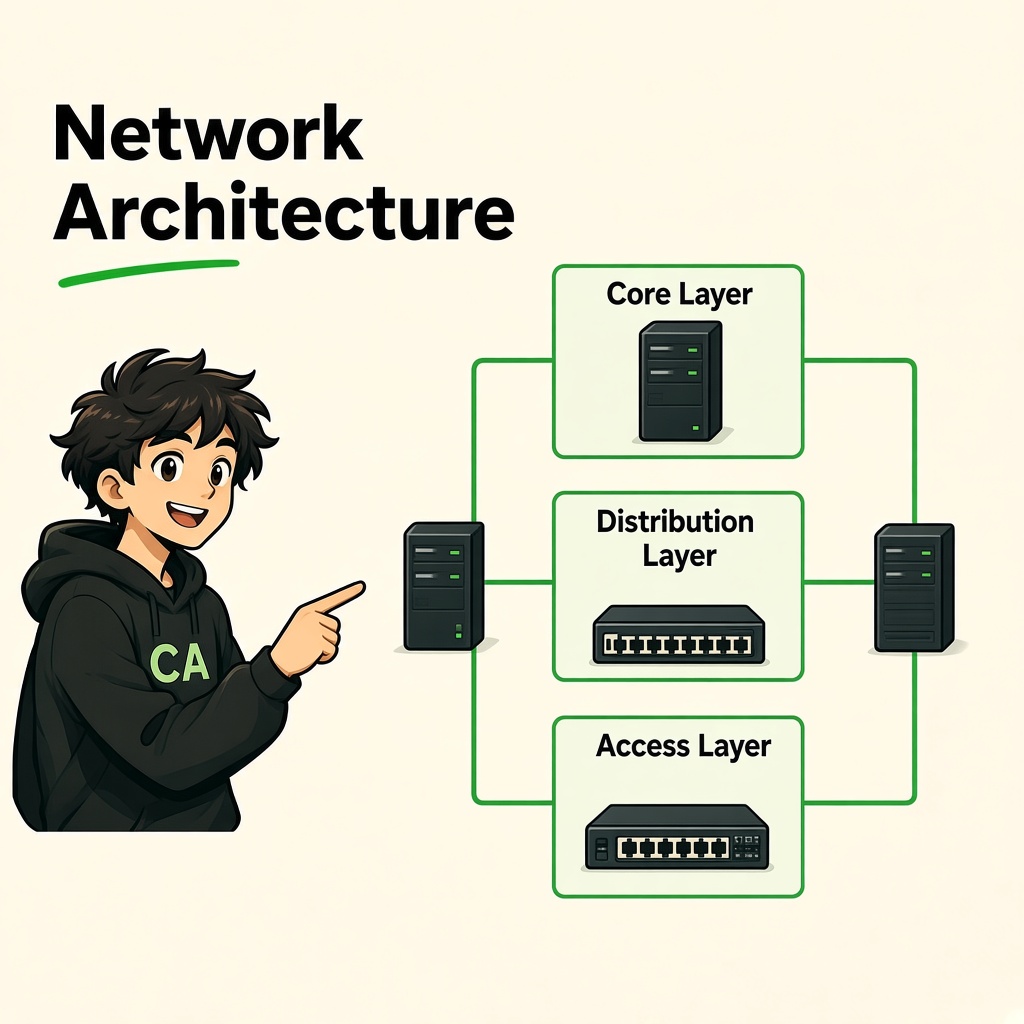
Network Security Architecture
Segmentation, DMZ, Zero Trust, and Defense in Depth
Course: Network Security
Level: Beginner
Module: Network Security and Monitoring
Estimated Duration: 100–120 minutes
1. Learning Objectives
By the end of this lesson, you will be able to:
- Explain network security architecture and its importance.
- Understand network segmentation and security zones.
- Explain VLANs and their security benefits.
- Understand DMZ architecture and its purpose.
- Explain Zero Trust security fundamentals.
- Apply least-privilege principles to network access.
- Understand defense in depth.
- Differentiate public, private, and management network zones.
- Understand basic cloud network security architecture.
- Explain Network Access Control (NAC).
- Design a basic secure enterprise network.
- Prepare network segmentation and firewall access policies.
2. What Is Network Security Architecture?
Network security architecture is the structured design of network infrastructure, security controls, access policies, and monitoring systems used to protect an organization's communication and resources.
It defines:
- Which devices can communicate.
- Which users can access specific systems.
- Which services are exposed to the internet.
- How internal and external networks are separated.
- Where firewalls and security monitoring systems are placed.
- How sensitive data and infrastructure are protected.
Real-world example
Imagine a company has:
- 200 employees.
- A public website.
- An internal application.
- A database server.
- An HR system.
- A finance department.
- Guest Wi-Fi.
- Network switches and routers.
- Security monitoring systems.
A poorly designed network may allow every employee device to communicate with every server.
If one employee computer becomes compromised, the attacker may be able to reach other systems.
A secure network architecture restricts unnecessary communication and separates critical resources.
<AsyncImage query="enterprise network security architecture firewall segmented internal network public web server database employee guest DMZ security monitoring diagram" aspectRatio="16:9" width="100%"/>Why Is Network Security Architecture Important?
It helps organizations:
- Reduce their attack surface.
- Protect sensitive information.
- Prevent unauthorized access.
- Limit lateral movement.
- Separate critical infrastructure.
- Improve monitoring and visibility.
- Support business continuity.
- Meet security and compliance requirements.
Key principle: A secure network should not automatically trust a device just because it is connected to the internal network.
3. Network Segmentation
3.1 What Is Network Segmentation?
Network segmentation is the process of dividing a larger network into smaller, logically or physically separated network areas.
Each segment can have its own access rules and security policies.
Example
A company may divide its network into:
| Network Segment | Purpose |
|---|---|
| Employee VLAN | Employee computers |
| Guest VLAN | Visitor internet access |
| Server VLAN | Internal application servers |
| Database VLAN | Database infrastructure |
| Management VLAN | Network administration |
| Security VLAN | Monitoring and security tools |
| IoT VLAN | Cameras, printers, and smart devices |
3.2 Why Is Segmentation Important?
Without segmentation, a compromised device may have unnecessary access to multiple systems.
For example:
An attacker compromises a guest Wi-Fi device.
If the guest network is properly isolated, the device should not be able to access:
- Employee computers.
- Internal file servers.
- Databases.
- Network management interfaces.
- Administrative systems.
Segmentation helps limit the potential impact.
3.3 Types of Network Segmentation
Physical segmentation
Uses separate physical network infrastructure to isolate systems.
Example: A dedicated network for highly sensitive industrial equipment.
Logical segmentation
Uses technologies such as VLANs, routing policies, and firewalls to separate traffic over shared physical infrastructure.
Microsegmentation
Applies more granular security policies between individual workloads, applications, or services.
Example:
An application server may communicate with a database server only on the required database port.
Other systems are denied unnecessary access.
3.4 Segmentation vs Isolation
Segmentation divides a network into controlled areas.
Isolation means preventing or significantly restricting communication between selected systems or areas.
A segmented network does not automatically guarantee isolation. Firewall rules, routing policies, and access controls must enforce the intended separation.
4. VLAN Security
4.1 What Is a VLAN?
VLAN stands for Virtual Local Area Network.
A VLAN logically separates devices into different Layer 2 broadcast domains.
Multiple VLANs can operate on the same physical switching infrastructure.
Example
A company has one managed switch.
| Department | VLAN ID | Network |
|---|---|---|
| HR | 10 | 192.168.10.0/24 |
| Finance | 20 | 192.168.20.0/24 |
| IT | 30 | 192.168.30.0/24 |
| Guest | 40 | 192.168.40.0/24 |
| Servers | 50 | 192.168.50.0/24 |
| Management | 60 | 192.168.60.0/24 |
These networks are logically separated.
<AsyncImage query="managed network switch VLAN 10 VLAN 20 VLAN 30 VLAN 40 trunk access ports diagram" aspectRatio="16:9" width="100%"/>4.2 Access Ports
An access port typically carries traffic for one assigned VLAN.
Example:
- Employee desktop connected to VLAN 10.
- HR printer connected to VLAN 10.
- Guest device connected to VLAN 40.
4.3 Trunk Ports
A trunk port carries traffic for multiple VLANs between network devices.
IEEE 802.1Q is commonly used to identify VLAN membership through frame tagging.
Example:
A switch-to-switch connection may carry VLANs 10, 20, 30, and 50.
4.4 Inter-VLAN Routing
Devices in different VLANs need a Layer 3 routing function to communicate.
Inter-VLAN routing may be implemented using:
- A router.
- A Layer 3 switch.
- A firewall.
Security policies should control which VLANs can communicate.
Example Firewall Policy
| Source VLAN | Destination VLAN | Policy |
|---|---|---|
| HR | HR application | Allow required ports |
| Finance | Finance application | Allow required ports |
| Guest | Internal servers | Deny |
| Employee | Database | Deny unless explicitly required |
| IT Management | Network devices | Allow approved management protocols |
| Security Monitoring | Network devices | Allow approved monitoring traffic |
4.5 VLAN Security Risks
VLANs improve separation, but incorrect configurations can weaken that separation.
Common risks include:
- Incorrect access-port assignments.
- Unnecessary trunk ports.
- Native VLAN misconfiguration.
- VLAN hopping vulnerabilities.
- Weak switch management access.
- Unauthorized devices connected to switch ports.
- Missing inter-VLAN firewall policies.
4.6 VLAN Security Best Practices
- Use dedicated VLANs for different trust levels.
- Avoid using the default VLAN for sensitive systems.
- Disable unused switch ports.
- Configure access ports explicitly.
- Restrict allowed VLANs on trunks.
- Avoid unnecessary trunk negotiation.
- Configure native VLANs consistently.
- Use port security where appropriate.
- Enable 802.1X where supported.
- Restrict switch management access.
- Monitor VLAN and port configuration changes.
Important: VLANs provide logical separation, but they are not a complete replacement for firewall policies and identity-based access controls.
5. DMZ Architecture
5.1 What Is a DMZ?
DMZ stands for Demilitarized Zone.
In network security, a DMZ is a separate network zone used to host systems that must communicate with external networks, especially the internet.
It provides an additional security boundary between public-facing services and internal private systems.
Why Is a DMZ Needed?
Imagine an organization hosts a public website.
Internet users need to access the website, but they should not have direct access to:
- Internal employee computers.
- Internal databases.
- HR systems.
- Finance applications.
- Administrative interfaces.
The public website can be placed in a DMZ while internal resources remain in protected zones.
<AsyncImage query="DMZ network architecture internet external firewall DMZ web server internal firewall private LAN database server diagram" aspectRatio="16:9" width="100%"/>5.2 Basic DMZ Architecture
A simplified architecture contains three areas:
External Network
The public internet and external users.
DMZ Network
Public-facing services such as:
- Web servers.
- Reverse proxies.
- Public DNS servers.
- Email gateways.
- Web application firewalls.
Internal Network
Private organizational resources such as:
- Databases.
- Employee systems.
- Internal applications.
- Directory services.
- File servers.
5.3 Example Communication Flow
A customer accesses a company's public website.
- The customer connects to the public web service.
- The firewall permits approved HTTPS traffic.
- The request reaches the DMZ web server or reverse proxy.
- The application communicates with an internal application or database only through specifically permitted paths.
- Other internal systems remain inaccessible from the internet.
5.4 DMZ Firewall Rules
| Source | Destination | Service | Action |
|---|---|---|---|
| Internet | Public web server | HTTPS | Allow |
| Internet | Internal database | Database port | Deny |
| DMZ web server | Application server | Required application port | Allow |
| DMZ web server | Database server | Required database port only | Allow only if architecture requires it |
| Internet | Management interface | Any | Deny |
| Management network | DMZ servers | SSH/RDP as required | Allow |
The exact architecture depends on application design.
5.5 DMZ Security Best Practices
- Expose only required services.
- Use firewalls between trust zones.
- Restrict outbound DMZ traffic.
- Avoid storing unnecessary sensitive data in the DMZ.
- Keep public-facing servers updated.
- Monitor inbound and outbound connections.
- Use secure administration channels.
- Restrict management access to approved networks.
- Centralize logging.
- Review firewall policies regularly.
Important: A DMZ is not automatically safe. A compromised DMZ server can still create risk if communication into internal systems is too permissive.
6. Public, Private, and Management Zones
A secure enterprise network commonly separates systems according to their exposure and operational purpose.
6.1 Public Zone
The public zone contains systems that must be accessible from external networks.
Examples:
- Public websites.
- Public APIs.
- Reverse proxies.
- Public DNS services.
- Internet-facing gateways.
Security requirements:
- Restrict exposed ports.
- Use HTTPS.
- Apply security updates.
- Monitor external requests.
- Protect against DDoS.
- Use appropriate application security controls.
6.2 Private Zone
The private zone contains internal business systems.
Examples:
- Employee applications.
- Internal file servers.
- Databases.
- HR systems.
- Finance systems.
- Internal directory services.
Security requirements:
- Restrict access by role and application need.
- Use segmentation.
- Apply least privilege.
- Monitor internal traffic.
- Protect sensitive data.
- Avoid unnecessary internet exposure.
6.3 Management Zone
The management zone contains infrastructure used to administer the network.
Examples:
- Router management interfaces.
- Switch management interfaces.
- Firewall administration.
- Hypervisor management.
- Monitoring platforms.
- Backup administration systems.
Management infrastructure is especially sensitive because it can control other network systems.
Security requirements:
- Dedicated management network.
- Strong authentication and MFA.
- Restricted administrator access.
- Secure remote administration.
- Centralized logging.
- Configuration backups.
- Separate administrative accounts.
- Strict firewall rules.
6.4 Example Zone Communication Matrix
| Source Zone | Destination Zone | Policy |
|---|---|---|
| Internet | Public DMZ | Allow approved services |
| Internet | Private Zone | Deny by default |
| Internet | Management Zone | Deny |
| Public DMZ | Private Zone | Allow only required application flows |
| Employee Zone | Management Zone | Deny by default |
| IT Admin Zone | Management Zone | Allow approved management access |
| Guest Zone | Private Zone | Deny |
| Guest Zone | Internet | Allow restricted access |
| Monitoring Zone | Infrastructure | Allow approved monitoring traffic |
7. Zero Trust Fundamentals
7.1 What Is Zero Trust?
Zero Trust is a security approach based on the principle:
Never automatically trust; continuously verify.
Traditional network designs often assume that devices inside an internal network are more trustworthy than external devices.
Zero Trust removes this automatic trust assumption.
A user or device must meet appropriate access requirements before accessing a resource, even if it is already connected to the corporate network.
Core Idea
Access decisions should consider:
- User identity.
- Device identity.
- Device security posture.
- Resource sensitivity.
- Location and context.
- Authentication strength.
- Access policy.
- Risk signals.
7.2 Traditional Security vs Zero Trust
| Traditional Network Model | Zero Trust Approach |
|---|---|
| Trust may be based heavily on network location | Verify identity and context |
| Internal access may be broad | Resource-specific access |
| VPN connection may imply broad network reach | Access is limited to authorized resources |
| Periodic access reviews | Ongoing policy evaluation |
| Network perimeter is a major boundary | Multiple identity, device, and resource controls |
Traditional network security controls remain useful. Zero Trust builds on them rather than eliminating firewalls or segmentation.
7.3 Core Zero Trust Principles
1. Verify Explicitly
Authenticate and authorize access using available identity, device, and contextual information.
Example:
An employee accessing a finance application must authenticate using approved methods and meet device security requirements.
2. Use Least Privilege
Give users and systems only the permissions required for their tasks.
Example:
An HR employee should not automatically receive database administrator permissions.
3. Assume Breach
Design the network with the possibility that an account, device, or application may already be compromised.
This means:
- Segment networks.
- Monitor access.
- Limit privileges.
- Protect sensitive resources.
- Prepare incident response procedures.
4. Apply Continuous Evaluation
Access policies may be reevaluated when relevant conditions change.
Examples:
- Device becomes non-compliant.
- User risk increases.
- Authentication becomes suspicious.
- Session behavior changes.
5. Protect Resources Individually
Do not assume that a system is safe simply because it is located on an internal network.
Apply appropriate protection to applications, workloads, databases, and sensitive information.
8. Least Privilege
8.1 What Is Least Privilege?
Least privilege means providing a user, device, application, or service account only the minimum access required to perform its approved function.
Example
A company has these employees:
| Role | Required Access |
|---|---|
| HR Employee | HR application |
| Finance Employee | Finance application |
| Developer | Development environment |
| Database Administrator | Approved database administration |
| Network Administrator | Approved network management |
| Guest | Internet access only |
Users should not receive unnecessary permissions just because they work in the same organization.
8.2 Why Is Least Privilege Important?
It reduces:
- Unauthorized data access.
- Accidental changes.
- Insider risk.
- Lateral movement opportunities.
- Damage from compromised accounts.
- Excessive service-account permissions.
8.3 Least Privilege for Applications
It also applies to service-to-service communication.
Example:
An application server needs to read and update specific records in a database.
It should not automatically receive full administrative control over the database server.
Best Practices
- Use role-based access control.
- Review permissions regularly.
- Separate administrator and standard accounts.
- Restrict service accounts.
- Remove unused permissions.
- Use time-limited privileged access where appropriate.
- Require additional authentication for sensitive operations.
9. Defense in Depth
9.1 What Is Defense in Depth?
Defense in depth is a security strategy that uses multiple layers of protection.
The idea is that one failed security control should not automatically result in complete compromise.
Example
An organization protects its internal database using:
- Network firewall.
- Network segmentation.
- Application authentication.
- Database authorization.
- Encryption.
- Endpoint protection.
- Security monitoring.
- Backup and recovery.
9.2 Common Defensive Layers
| Layer | Security Controls |
|---|---|
| Physical | Server room access control |
| Perimeter | Firewall and DDoS protection |
| Network | VLANs, segmentation, IDS/IPS |
| Identity | MFA, access policies |
| Endpoint | EDR, patching, device security |
| Application | Secure development and WAF |
| Data | Encryption and access controls |
| Monitoring | SIEM, NDR, centralized logs |
| Recovery | Backups and incident response |
9.3 Example: Protecting a Database
Imagine a company database contains sensitive customer information.
A layered architecture could include:
- No direct public internet access.
- A dedicated database network.
- Access only from approved application servers.
- Separate administrator access.
- Strong database authentication.
- Encryption in transit.
- Encryption at rest where appropriate.
- Database activity monitoring.
- Regular backups.
- Tested recovery procedures.
Even if one application server is compromised, these additional controls may limit the attacker's ability to access other resources.
10. Network Access Control (NAC)
10.1 What Is NAC?
Network Access Control is a security approach that controls which devices and users can connect to a network and what access they receive.
NAC can evaluate devices before allowing them to connect or assigning them to an appropriate network segment.
Example
An employee connects a laptop to the office network.
The NAC system may check:
- Device identity.
- User identity.
- Authentication status.
- Device compliance.
- Endpoint security status.
- Required configuration.
Based on the policy, the device may receive:
- Full approved employee access.
- Restricted access.
- Guest access.
- Quarantine access.
10.2 802.1X Authentication
IEEE 802.1X is a port-based network access control standard.
It is commonly used for controlled access to wired and wireless networks.
Important components:
Supplicant
The client device requesting network access.
Authenticator
The switch or wireless access point controlling access.
Authentication Server
Typically a RADIUS server that validates authentication information and returns authorization decisions.
Simplified 802.1X Process
- A device connects to a network port or wireless network.
- The authenticator requests identity information.
- The supplicant responds.
- Authentication information is passed to the authentication server.
- The authentication server validates the request.
- Access is approved or denied.
- The device receives the permitted network access.
10.3 NAC Security Benefits
- Reduces unauthorized device access.
- Helps identify unknown devices.
- Supports network segmentation.
- Enforces device compliance policies.
- Provides visibility into connected devices.
- Supports guest access management.
10.4 NAC Limitations
NAC is not a complete security solution.
An authorized device can still be compromised.
NAC should work alongside:
- Endpoint security.
- Identity management.
- Network segmentation.
- Firewalls.
- Monitoring.
- Incident response.
11. Cloud Network Security Basics
Modern organizations use cloud platforms to host applications, databases, storage, and business infrastructure.
Cloud network security protects communication between:
- Internet users.
- Cloud applications.
- Virtual machines.
- Containers.
- Databases.
- Internal services.
- On-premises networks.
11.1 Virtual Private Cloud
A Virtual Private Cloud (VPC) is a logically isolated cloud network environment.
Cloud providers may use different names and implementation details, but the general purpose is to provide controlled network resources.
Examples:
- AWS VPC.
- Microsoft Azure Virtual Network.
- Google Cloud VPC.
11.2 Public and Private Subnets
A cloud network may contain different subnet types.
Public subnet
Designed for resources that require approved internet connectivity, often through an internet gateway or public-facing load balancer.
Private subnet
Used for resources that should not be directly reachable from the public internet.
Examples:
- Internal application services.
- Databases.
- Background processing systems.
A subnet is not automatically public or private simply because of its name or IP range. Its routing and security configuration determine its actual connectivity.
11.3 Cloud Network Security Controls
Security Groups
Act as virtual firewall controls associated with cloud resources or network interfaces.
They typically define permitted inbound and outbound communication.
Network ACLs
In cloud environments that support them, network access control lists provide subnet-level traffic controls.
Route Tables
Define where network traffic should be forwarded.
Internet Gateway
Provides a path between a cloud network and the public internet when routing and resource configuration permit it.
NAT Gateway
Allows selected private-network resources to initiate outbound internet communication without requiring direct public inbound reachability.
A NAT gateway is not, by itself, a complete security firewall.
Private Endpoints
Provide private connectivity to supported services without relying on ordinary public internet paths.
Web Application Firewall
A WAF helps protect web applications from selected application-layer attacks.
11.4 Example Secure Cloud Architecture
A company hosts an application in a cloud VPC.
| Component | Placement | Access |
|---|---|---|
| Load balancer | Public-facing zone | Approved web traffic |
| Web/application services | Private subnet | Approved application traffic |
| Database | Isolated private subnet | Application servers only |
| Management | Restricted management path | Authorized administrators |
| Monitoring | Approved monitoring zone | Required telemetry |
| Backup storage | Restricted storage environment | Approved backup systems |
Cloud Security Best Practices
- Avoid public database exposure.
- Use private subnets for internal workloads.
- Restrict security group rules.
- Review route tables.
- Protect administrative access with MFA.
- Use workload identity where supported.
- Enable cloud logging.
- Encrypt sensitive data.
- Monitor configuration changes.
- Regularly review public IP assignments.
- Separate development, testing, and production environments.
Important: Cloud security follows a shared-responsibility model. The cloud provider secures parts of the underlying infrastructure, while the customer remains responsible for many configuration, identity, data, and workload security decisions.
12. Secure Enterprise Network Design
Now combine the concepts into one enterprise architecture.
12.1 Scenario
Imagine CYNARKS is designing a secure network for a company with:
- 100 employees.
- HR department.
- Finance department.
- IT department.
- Guest Wi-Fi.
- Public website.
- Internal application.
- Database server.
- File server.
- CCTV and IoT devices.
- Network monitoring system.
The goal is to design a network that limits unnecessary access and protects critical systems.
12.2 Proposed Network Segmentation
| Zone | VLAN | Example Network | Purpose |
|---|---|---|---|
| HR | 10 | 10.10.10.0/24 | HR devices |
| Finance | 20 | 10.10.20.0/24 | Finance devices |
| IT | 30 | 10.10.30.0/24 | IT employee devices |
| Guest | 40 | 10.10.40.0/24 | Guest internet access |
| Application | 50 | 10.10.50.0/24 | Internal application |
| Database | 60 | 10.10.60.0/24 | Database systems |
| Management | 70 | 10.10.70.0/24 | Network management |
| IoT | 80 | 10.10.80.0/24 | Cameras and IoT devices |
| Security | 90 | 10.10.90.0/24 | Monitoring infrastructure |
| DMZ | 100 | 10.10.100.0/24 | Public-facing services |
These are illustrative private IPv4 subnets for a training design.
<AsyncImage query="enterprise cybersecurity network architecture VLAN segmentation DMZ employee HR finance IT database IoT management SOC monitoring diagram" aspectRatio="16:9" width="100%"/>12.3 Example Firewall Policy
| Source | Destination | Allowed Traffic | Policy |
|---|---|---|---|
| Internet | DMZ web service | HTTPS | Allow |
| Internet | Database | Any | Deny |
| Guest | Internet | Approved web traffic | Allow |
| Guest | Internal networks | Any | Deny |
| HR | HR application | Required application port | Allow |
| Finance | Finance application | Required application port | Allow |
| Application | Database | Required database port | Allow |
| Employee | Management | Any | Deny by default |
| IT Admin | Management | Approved SSH/HTTPS/RDP | Allow |
| Monitoring | Managed devices | Approved monitoring protocols | Allow |
| IoT | Employee and server zones | Any | Deny by default |
12.4 Architecture Design Principles
- Separate networks according to business purpose and trust level.
- Place public-facing services in an appropriately protected DMZ or equivalent cloud edge architecture.
- Keep databases private.
- Restrict access between departments.
- Use dedicated management access paths.
- Isolate guest devices.
- Restrict IoT communication.
- Monitor critical network zones.
- Enforce least privilege.
- Document all required communication paths.
12.5 Network Design Review Questions
Before approving an architecture, ask:
- Can the internet directly reach the database?
- Can guest devices access internal resources?
- Can employee devices access management interfaces?
- Are public-facing systems separated from internal systems?
- Can a compromised workstation reach critical servers?
- Are administrative accounts protected with MFA?
- Are security logs centralized?
- Are firewall rules documented?
- Are unused ports and services disabled?
- Are backups protected from ordinary user access?
13. Practical Lab 1: Design a Segmented Network
Objective: Create a logical network design for a fictional organization.
Scenario
The organization contains:
- HR.
- Finance.
- IT.
- Guest Wi-Fi.
- Application servers.
- Database servers.
- Management systems.
Tasks
- Create separate VLANs for each appropriate group.
- Assign an IPv4 subnet to each VLAN.
- Identify the default gateway.
- Decide which VLANs need communication.
- Define required application ports.
- Deny unnecessary communication.
- Create a simple network diagram.
- Explain why each segment exists.
Deliverable
A network segmentation table and diagram.
Expected outcome: Understand how to design logical separation based on business requirements.
14. Practical Lab 2: Build a Firewall Policy Matrix
Objective: Apply least-privilege communication rules.
Use a fictional environment or an authorized lab firewall.
Requirements
Create rules for:
- Internet to public web services.
- Employee access to internal applications.
- Application server access to databases.
- IT administrator access to management systems.
- Guest internet access.
- Monitoring server access to network devices.
Tasks
- Identify source zones.
- Identify destination zones.
- Identify required services and ports.
- Define allow rules.
- Define deny rules.
- Apply a default-deny approach where appropriate.
- Document the business reason for each allowed connection.
- Review for unnecessarily broad rules.
Example
Instead of:
Allow all traffic from Employee VLAN to Database VLAN
Use:
Allow only the required application connection from the approved application server to the database service
Expected outcome: Understand how firewall policies enforce segmentation.
15. Practical Lab 3: Design a DMZ
Objective: Separate public services from internal resources.
Scenario
A company hosts a public website and an internal database.
Tasks
- Identify the public-facing service.
- Place the web server in the DMZ.
- Place the database in a private zone.
- Define required web-to-application communication.
- Restrict direct internet access to internal systems.
- Define management access.
- Identify logging requirements.
- Document the design.
Questions
- Why should the database not be directly exposed?
- Why should the DMZ be separate from the employee network?
- What happens if a public-facing server is compromised?
- How can firewall policies limit the impact?
Expected outcome: Understand the role of a DMZ in protecting internal resources.
16. Practical Lab 4: Zero Trust Access Design
Objective: Design identity- and device-aware access policies.
Scenario
An employee wants to access the company's finance application remotely.
Evaluate
- Is the user identity verified?
- Is MFA required?
- Is the device managed?
- Is the device compliant?
- Is the employee authorized for the finance application?
- Does the access request match the user's role?
- Is additional verification required?
Tasks
- Define user roles.
- Define device requirements.
- Define authentication requirements.
- Define application permissions.
- Define access-denial conditions.
- Define session monitoring.
- Define how access is removed when a device becomes non-compliant.
Expected outcome: Understand how Zero Trust decisions use identity, device, and resource context.
17. Practical Lab 5: Network Access Control Design
Objective: Create a basic NAC policy.
Scenario
An organization allows employees, guests, and managed devices to connect to its wired and wireless networks.
Tasks
Define policies for:
- Authorized employee laptops.
- Unmanaged personal devices.
- Guest devices.
- Non-compliant employee devices.
- Unknown devices.
- Network administrator systems.
Example Policy
| Device Type | Network Access |
|---|---|
| Managed employee laptop | Approved employee VLAN |
| Authorized administrator device | Restricted management access |
| Guest device | Guest VLAN |
| Non-compliant device | Restricted or remediation network |
| Unknown device | Deny or quarantine |
| Authorized monitoring device | Security monitoring VLAN |
Expected outcome: Understand how NAC helps control network entry.
18. Practical Lab 6: Complete Enterprise Architecture Assessment
Objective: Combine segmentation, DMZ, Zero Trust, least privilege, and defense in depth.
Organization
Design a network for a fictional company with:
- Public website.
- Employee network.
- HR and Finance systems.
- Application servers.
- Database servers.
- Guest Wi-Fi.
- CCTV and IoT.
- Network management.
- Security monitoring.
- Backup infrastructure.
Tasks
- Identify critical assets.
- Create trust zones.
- Define VLANs and subnets.
- Design a DMZ.
- Define inter-zone firewall rules.
- Define user and device access policies.
- Apply least privilege.
- Define NAC requirements.
- Define security monitoring locations.
- Identify cloud connectivity requirements.
- Define backup protection.
- Prepare a network diagram.
- Prepare a security architecture report.
Expected Deliverable
Your report must contain:
- Business requirements.
- Asset inventory.
- Network segmentation plan.
- IP addressing plan.
- DMZ architecture.
- Firewall policy matrix.
- Zero Trust access principles.
- NAC design.
- Monitoring architecture.
- Security risks.
- Recommended improvements.
19. Network Security Architecture Best Practices
Use the following principles when designing or reviewing an enterprise network.
Network Design
- Segment networks according to business purpose.
- Separate public, private, guest, and management zones.
- Protect critical servers.
- Avoid unnecessary flat networks.
- Document network communication paths.
Access Control
- Apply least privilege.
- Use strong authentication.
- Enable MFA for privileged access.
- Restrict administrative interfaces.
- Review permissions regularly.
Infrastructure Security
- Harden routers and switches.
- Disable unused ports and services.
- Restrict management protocols.
- Maintain secure configuration backups.
- Apply firmware and software updates.
Monitoring
- Centralize security logs.
- Monitor inter-zone traffic.
- Detect unusual access patterns.
- Review firewall events.
- Monitor cloud configuration changes.
Resilience
- Maintain protected backups.
- Test recovery procedures.
- Plan for network failures.
- Review high-availability requirements.
- Prepare incident response procedures.
21. Lesson Summary
In this lesson, you learned:
- Network security architecture defines how networks and security controls are organized.
- Segmentation divides a network into controlled areas.
- VLANs provide logical Layer 2 separation.
- Inter-VLAN communication requires Layer 3 routing and appropriate access policies.
- DMZs separate public-facing services from internal resources.
- Public, private, and management zones have different security requirements.
- Zero Trust verifies identity, device, and access context rather than automatically trusting network location.
- Least privilege limits unnecessary access.
- Defense in depth combines multiple security layers.
- NAC helps control which devices can connect to a network.
- 802.1X supports port-based network access control.
- Cloud VPCs, subnets, security groups, route tables, and private endpoints support cloud network security.
- Secure architecture requires documentation, monitoring, access reviews, and regular validation.
22. Key Terms to Remember
| Term | Meaning |
|---|---|
| Network Segmentation | Dividing a network into controlled areas |
| VLAN | Virtual Local Area Network |
| DMZ | Demilitarized Zone |
| Zero Trust | Security approach based on continuous verification |
| Least Privilege | Minimum required access |
| Defense in Depth | Multiple layers of security controls |
| NAC | Network Access Control |
| 802.1X | Port-based network access control |
| RADIUS | Authentication, authorization, and accounting protocol |
| VPC | Virtual Private Cloud |
| Security Group | Cloud resource-level traffic control |
| Microsegmentation | Fine-grained separation of workloads and services |
| Trust Zone | Network area with defined security requirements |
23. Coming Next: Network Troubleshooting
In the next lesson, you will learn how network administrators and security professionals identify and resolve connectivity problems.
Topics include:
- Layer-by-layer troubleshooting.
- IP configuration troubleshooting.
- DNS troubleshooting.
- Routing problems.
- Port and service connectivity.
- Wi-Fi troubleshooting.
- Firewall troubleshooting.
- Windows networking commands.
- Linux networking commands.
- Practical troubleshooting scenarios.
CYNARKS Academy – Learn to Understand. Practice to Defend.
Practice networking and security testing only on systems you own or have explicit authorization to test.
End of lesson
Quiz · Tasks · Labs
Pass the quiz (≥70%), check off tasks, then mark the lesson complete to earn Foundations badges.
Scenario check
Real situations — apply the lesson logic; avoid pure memorization.
Answer all, then submit1. What is network security architecture?
2. What is network segmentation?
3. What does VLAN stand for?
4. What does a VLAN logically separate?
5. What is a trunk port commonly used for?
6. What is inter-VLAN routing?
7. What is the purpose of a DMZ?
8. Where should a public-facing web server commonly be placed in a traditional DMZ design?
9. What is Zero Trust based on?
10. What does least privilege mean?
11. What is defense in depth?
12. What is NAC?
13. What does 802.1X commonly provide?
14. What is the purpose of a management network?
15. What is a cloud VPC?
16. What is the main purpose of a cloud security group?
17. Should a cloud database normally be directly accessible from the public internet?
18. Why is network segmentation useful after a workstation is compromised?
19. Does Zero Trust eliminate the need for firewalls?
20. What is the best approach to inter-zone network access?
Lesson tasks
Practice labs
Required labs test this lesson’s skills. Related labs are optional previews.
- RequiredFirewall Rule & Noisy ScannerNetworking
- RequiredPort RiddleNetworking
Finish the quiz and tasks to unlock Mark as completed.