Lesson 32 of 32 · ~22 min
Basic Network Attack Detection
Hardening and detection controls.
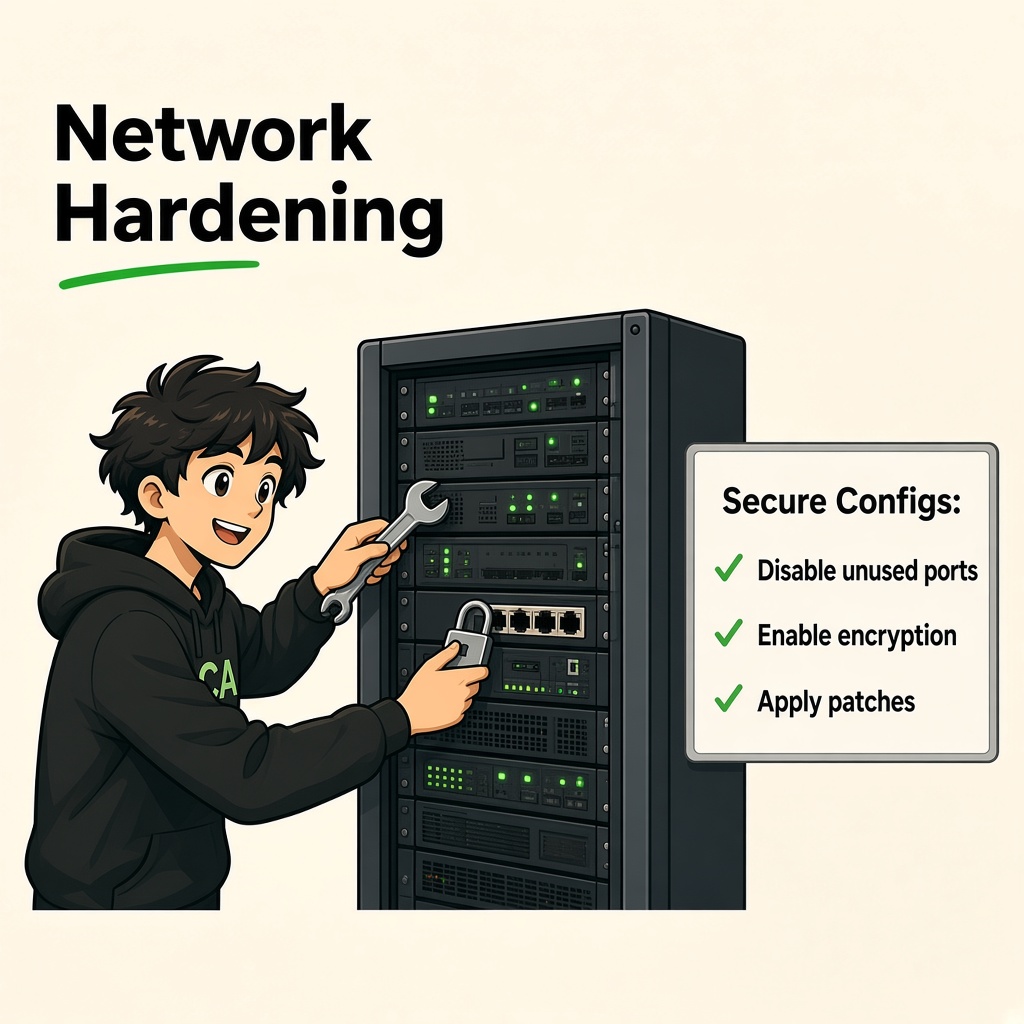
Network Security Hardening
Hardening Routers, Switches, Wi-Fi, Firewalls, and Configurations
Course: Network Security
Level: Beginner
Module: Practical Network Administration
Estimated Duration: 100–120 minutes
1. Learning Objectives
By the end of this lesson, you will be able to:
- Explain network security hardening and its importance.
- Understand attack surface and security baselines.
- Apply basic router hardening principles.
- Identify and secure switch management interfaces.
- Understand server network hardening.
- Configure secure Wi-Fi practices.
- Review firewall rules and access policies.
- Identify and disable unnecessary services safely.
- Understand patch and firmware management.
- Apply network access restrictions.
- Understand secure configuration backup and recovery.
- Prepare a basic network hardening checklist.
- Perform a controlled security hardening assessment.
2. What Is Network Security Hardening?
Network security hardening is the process of strengthening network devices, servers, services, configurations, and access controls to reduce security weaknesses and minimize the attack surface.
Organizations use hardening to reduce the possibility of:
- Unauthorized access.
- Credential compromise.
- Exploitation of known vulnerabilities.
- Misconfiguration.
- Unnecessary service exposure.
- Network device takeover.
- Lateral movement.
- Data leakage.
- Service disruption.
Real-world example
Imagine an organization uses:
- 2 routers.
- 8 managed switches.
- 5 wireless access points.
- 3 firewalls.
- 20 servers.
- 100 employee computers.
The devices are working, but their configurations have not been reviewed for several months.
Possible weaknesses include:
- Default administrator credentials.
- Unused management services.
- Outdated firmware.
- Unrestricted management interfaces.
- Unnecessary open ports.
- Weak Wi-Fi encryption.
- Broad firewall rules.
- Missing configuration backups.
Network hardening identifies and corrects these weaknesses.
<AsyncImage query="enterprise network security hardening router switch firewall wireless access point servers security controls diagram" aspectRatio="16:9" width="100%"/>3. Why Is Hardening Important?
Hardening helps organizations:
- Reduce the attack surface.
- Restrict unauthorized access.
- Remove unnecessary services.
- Protect network administration.
- Reduce exposure to known vulnerabilities.
- Improve network reliability.
- Strengthen security monitoring.
- Support compliance requirements.
- Limit the impact of compromised devices.
- Improve incident recovery.
Important: Hardening reduces risk but cannot guarantee that a device or network will never be compromised.
4. Understanding the Attack Surface
4.1 What Is an Attack Surface?
An attack surface is the collection of points through which an attacker could potentially interact with or affect a system.
For a network device, this may include:
- Management interfaces.
- Open network ports.
- Running services.
- Web administration panels.
- Remote access protocols.
- Wireless interfaces.
- Firmware vulnerabilities.
- Authentication mechanisms.
- Physical access points.
- Configuration weaknesses.
Example
A router may have:
- Web management over HTTP.
- Secure web management over HTTPS.
- SSH administration.
- Telnet enabled.
- SNMP enabled.
- An exposed remote management interface.
If Telnet and unnecessary remote management are not required, leaving them enabled increases the attack surface.
4.2 Attack Surface Reduction
A security administrator should:
- Disable unnecessary services.
- Restrict management access.
- Remove unused accounts.
- Update firmware.
- Enforce strong authentication.
- Limit exposed interfaces.
- Apply firewall policies.
- Monitor configuration changes.
4.3 Security Baseline
A security baseline is an approved minimum set of security configurations for systems in an organization.
Example router baseline:
- Unique administrator credentials.
- Secure management protocols.
- Management access restricted to approved networks.
- Unused services disabled.
- Current supported firmware.
- Centralized logging where supported.
- Configuration backup enabled.
- Time synchronization configured.
- Configuration changes documented.
Baselines should be appropriate for the device model, business requirements, and vendor guidance.
5. Router Hardening
5.1 What Is a Router?
A router forwards packets between different IP networks.
In organizations, routers may connect:
- Internal networks.
- Branch offices.
- Data centers.
- Cloud networks.
- Internet service providers.
- Remote sites.
Routers are critical infrastructure because incorrect or compromised configurations can affect multiple networks.
<AsyncImage query="enterprise router network device ports WAN LAN administration infrastructure photograph" aspectRatio="16:9" width="100%"/>5.2 Common Router Security Risks
- Default administrator credentials.
- Weak passwords.
- Telnet administration.
- Unrestricted SSH access.
- Exposed web management interfaces.
- Outdated firmware.
- Unnecessary services.
- Incorrect access control lists.
- Insecure SNMP configuration.
- Unprotected configuration backups.
- Unnecessary remote administration.
5.3 Router Hardening Checklist
1. Change Default Credentials
Never leave default administrative credentials unchanged.
Use:
- Unique administrator accounts.
- Long, strong passwords.
- Password managers where appropriate.
- MFA where supported.
Avoid shared administrator accounts wherever individual accounts are available.
2. Secure Management Access
Use secure management protocols.
Prefer:
- SSH instead of Telnet.
- HTTPS instead of HTTP.
- SNMPv3 instead of SNMPv1/v2c when supported and appropriately configured.
Restrict management access to approved administrator networks.
3. Disable Unnecessary Services
Review services such as:
- Telnet.
- HTTP management.
- Unused FTP services.
- Unnecessary discovery protocols.
- Unneeded remote administration services.
Disable only services that are not required.
Some infrastructure services may be essential for network operation.
4. Restrict Remote Administration
Remote administration should:
- Be explicitly authorized.
- Use secure encrypted connections.
- Require strong authentication.
- Be restricted to approved source addresses or management networks.
- Be monitored and logged.
- Use MFA where supported.
Avoid exposing router administration directly to the public internet.
5. Update Router Firmware
Firmware updates may fix:
- Security vulnerabilities.
- Software defects.
- Authentication weaknesses.
- Stability problems.
- Protocol implementation issues.
Before upgrading:
- Identify the exact device model.
- Check vendor security advisories.
- Verify firmware compatibility.
- Back up the configuration.
- Follow an approved maintenance window.
- Verify device functionality after upgrading.
6. Configure Logging
Enable appropriate logs for:
- Authentication attempts.
- Administrative activity.
- Configuration changes.
- Interface status changes.
- Routing events.
- Security policy events.
Send logs to a protected centralized logging platform where supported.
7. Configure Time Synchronization
Use approved NTP sources.
Accurate timestamps help correlate events across:
- Routers.
- Firewalls.
- Switches.
- Servers.
- Monitoring platforms.
8. Protect Configuration Files
Router configuration files may contain sensitive information such as:
- Network addresses.
- Access control policies.
- Usernames.
- Authentication configuration.
- SNMP settings.
- Routing information.
Store backups securely and restrict access.
6. Switch Hardening
6.1 What Is a Network Switch?
A switch connects devices within a local network and forwards Ethernet frames using MAC address information.
Managed switches provide administrative and security features such as:
- VLAN configuration.
- Port security.
- 802.1X authentication.
- Spanning Tree Protocol controls.
- Management access restrictions.
- Monitoring and logging.
6.2 Common Switch Security Risks
- Unused ports left active.
- Unauthorized devices connected to network ports.
- Incorrect VLAN assignments.
- Unrestricted trunk ports.
- Weak management credentials.
- Telnet enabled.
- Insecure SNMP configuration.
- MAC flooding risks.
- Rogue DHCP servers.
- VLAN hopping opportunities.
- Misconfigured spanning tree protections.
6.3 Switch Hardening Checklist
1. Change Default Credentials
Use unique administrative credentials.
Where supported:
- Use individual administrator accounts.
- Apply role-based permissions.
- Enable MFA for management platforms.
- Remove unused accounts.
2. Disable Unused Ports
Unused switch ports should be administratively disabled when not required.
For example:
A company has a 48-port switch, but only 30 ports are currently in use.
The remaining unused ports should not be left available for unrestricted connections.
3. Assign Ports to Appropriate VLANs
Configure access ports explicitly.
Example:
| Port | Connected Device | VLAN |
|---|---|---|
| 1–10 | HR computers | 10 |
| 11–20 | Finance computers | 20 |
| 21–30 | IT computers | 30 |
| 31–35 | Guest access | 40 |
| 36–40 | Servers | 50 |
The actual VLAN design should follow the organization's network plan.
4. Secure Trunk Ports
Trunk ports carry traffic for multiple VLANs.
Best practices:
- Permit only required VLANs.
- Configure trunking explicitly.
- Avoid unnecessary trunk connections.
- Use a consistent native VLAN configuration.
- Disable unused trunk negotiation features where supported.
- Monitor trunk configuration changes.
5. Enable Port Security
Port security can restrict which MAC addresses are allowed on a switch port.
Depending on the platform, policies may include:
- Maximum permitted MAC addresses.
- Static MAC address assignment.
- Sticky MAC learning.
- Violation handling.
Use port security carefully because legitimate devices may change, especially in environments with phones, docking stations, virtual machines, and shared ports.
6. Use DHCP Snooping
DHCP snooping helps distinguish trusted and untrusted DHCP paths on supported switches.
It can help prevent unauthorized DHCP servers from providing configuration to clients.
7. Use Dynamic ARP Inspection
Dynamic ARP Inspection (DAI) helps validate ARP messages using trusted binding information on supported network equipment.
It helps reduce ARP spoofing risks.
DAI generally depends on an appropriate DHCP snooping or static binding design.
8. Protect Spanning Tree
Spanning Tree Protocol prevents Layer 2 switching loops.
Additional protections may include:
- BPDU Guard.
- Root Guard.
- Loop Guard.
- PortFast or edge-port configuration.
These features should be applied according to the network topology and vendor recommendations.
9. Restrict Management Access
- Use a dedicated management VLAN.
- Permit management only from approved administrator systems.
- Use SSH and HTTPS.
- Restrict SNMP access.
- Enable management logging.
- Disable unnecessary management services.
7. Server Network Hardening
Servers often host critical applications and sensitive organizational data.
A compromised server can create significant business impact.
<AsyncImage query="enterprise server rack data center secure server infrastructure" aspectRatio="16:9" width="100%"/>7.1 Common Server Security Risks
- Unnecessary open ports.
- Outdated operating systems.
- Weak administrative credentials.
- Unrestricted remote access.
- Unpatched applications.
- Unnecessary services.
- Excessive user permissions.
- Insecure file sharing.
- Weak TLS configurations.
- Public database exposure.
7.2 Server Hardening Checklist
1. Remove Unnecessary Services
Review running services and disable those that are not required.
Examples of services that may be unnecessary in some server roles:
- Telnet.
- FTP.
- Unused web servers.
- Unneeded remote desktop services.
- Unused file-sharing services.
- Unnecessary database listeners.
Do not disable services without understanding their dependencies.
2. Restrict Listening Ports
A server should expose only the services required for its business role.
Example:
| Server Type | Typical Required Service |
|---|---|
| Public web server | HTTPS |
| Internal DNS server | DNS |
| File server | Approved file-sharing services |
| Database server | Approved database service |
| SSH administration server | SSH from management network |
The exact ports depend on the application and deployment.
3. Apply Operating System Updates
Maintain:
- OS security patches.
- Application updates.
- Security agent updates.
- Firmware updates.
- Library and dependency updates.
Use controlled patch deployment and test critical updates before broad rollout where appropriate.
4. Restrict Administrative Access
- Use individual administrator accounts.
- Require MFA where supported.
- Restrict remote management.
- Avoid using privileged accounts for routine work.
- Monitor administrator activity.
- Remove unused accounts.
5. Configure Host-Based Firewalls
Use host firewalls to restrict traffic directly on servers.
Example:
A database server may accept database connections only from approved application servers.
It should not accept unrestricted connections from employee or guest networks.
6. Protect Logs
Collect relevant information from:
- Authentication logs.
- Operating system logs.
- Application logs.
- Service logs.
- Firewall logs.
- Endpoint security tools.
Restrict access to logs and protect them from unauthorized modification.
7. Protect Data
- Use encryption in transit.
- Use encryption at rest where appropriate.
- Restrict database permissions.
- Secure backup storage.
- Apply data retention policies.
- Monitor sensitive access.
8. Secure Wi-Fi Configuration
Wireless networks provide convenient access but create additional security considerations.
An organization should protect both wireless authentication and the network resources accessible after connection.
<AsyncImage query="enterprise WiFi access point secure WPA3 wireless network guest corporate network diagram" aspectRatio="16:9" width="100%"/>8.1 Common Wi-Fi Security Risks
- Weak Wi-Fi passwords.
- Outdated wireless encryption.
- Unauthorized access points.
- Evil Twin access points.
- Poor guest network isolation.
- Exposed access point management.
- Unpatched access point firmware.
- Insecure WPS configuration.
- Excessive wireless privileges.
8.2 Wi-Fi Hardening Checklist
1. Use Strong Wireless Security
Prefer:
- WPA3 where supported.
- WPA2-AES where WPA3 is not available and the environment requires compatibility.
- WPA3-Enterprise or appropriate enterprise authentication for managed corporate environments.
Avoid:
- WEP.
- WPA with obsolete TKIP-only configurations.
- Open wireless networks for sensitive business access.
2. Use Strong Authentication
For corporate wireless:
- Prefer enterprise authentication.
- Use individual user or device identities where appropriate.
- Protect authentication infrastructure.
- Apply certificate validation correctly.
- Use MFA in the broader access architecture where supported.
3. Separate Guest Wi-Fi
Guest Wi-Fi should be separated from internal business systems.
A guest device should not automatically access:
- Employee computers.
- Internal databases.
- Network management interfaces.
- File servers.
- Administrative services.
4. Disable Unnecessary WPS
Wi-Fi Protected Setup may introduce security weaknesses depending on implementation.
Disable it where it is not required.
5. Update Access Point Firmware
Check vendor updates for:
- Security vulnerabilities.
- Authentication improvements.
- Stability fixes.
- Wireless performance issues.
6. Secure Access Point Administration
- Change default credentials.
- Use HTTPS or secure management.
- Restrict administrative access.
- Disable unnecessary remote administration.
- Monitor configuration changes.
7. Monitor Rogue Access Points
Use approved wireless monitoring capabilities to identify unauthorized access points.
Investigate suspicious access points before taking action because neighboring organizations may legitimately operate wireless networks nearby.
8. Use Protected Management Frames
Protected Management Frames (PMF), defined by IEEE 802.11w, help protect selected wireless management frames.
Enable required or supported PMF settings according to the chosen Wi-Fi security mode and device compatibility.
9. Firewall Rule Reviews
Firewalls enforce network access policies.
Over time, firewall rule sets can become difficult to manage because organizations add exceptions, applications, servers, and temporary rules.
Regular reviews help remove unnecessary permissions.
<AsyncImage query="enterprise firewall security policy rules monitoring interface network security operations center" aspectRatio="16:9" width="100%"/>9.1 Common Firewall Misconfigurations
- Allow-all rules.
- Broad source networks.
- Broad destination networks.
- Unnecessary exposed ports.
- Temporary rules never removed.
- Duplicate rules.
- Incorrect rule ordering.
- Unrestricted management access.
- Unrestricted outbound access.
- Missing logging.
9.2 Firewall Rule Components
A typical firewall rule may include:
| Component | Description |
|---|---|
| Source | Originating device or network |
| Destination | Target device or network |
| Protocol | TCP, UDP, ICMP, etc. |
| Port | Application service port |
| Action | Allow, deny, reject, or other policy action |
| Direction | Inbound, outbound, or forwarded traffic |
| Logging | Whether events are recorded |
| Schedule | Time restrictions, if supported |
| Purpose | Business justification |
9.3 Example Firewall Rule Review
| Rule | Source | Destination | Service | Action | Review |
|---|---|---|---|---|---|
| 1 | Internet | Public web server | TCP 443 | Allow | Required |
| 2 | Internet | Database | Any | Allow | Remove or correct |
| 3 | Guest VLAN | Internal LAN | Any | Allow | Restrict |
| 4 | Employee VLAN | Internal application | TCP 443 | Allow | Validate |
| 5 | Admin network | Management VLAN | SSH/HTTPS | Allow | Restrict and monitor |
| 6 | Any | Any | Any | Allow | High risk; investigate |
9.4 Firewall Review Process
- Export the current firewall rules.
- Identify business owners for important rules.
- Review source and destination scope.
- Check protocols and ports.
- Identify unused or duplicate rules.
- Identify temporary exceptions.
- Check rule ordering.
- Review logging.
- Confirm the business justification.
- Obtain approval before changes.
- Test the updated policy.
- Document the result.
9.5 Default-Deny Principle
A default-deny approach blocks traffic unless it is explicitly permitted by policy.
This helps prevent unintended communication.
However, it must be implemented carefully to avoid disrupting essential business services.
10. Disabling Unnecessary Services
10.1 What Is a Network Service?
A network service allows a device or application to provide functionality over a network.
Examples:
| Service | Common Port |
|---|---|
| SSH | TCP 22 |
| Telnet | TCP 23 |
| FTP control | TCP 21 |
| HTTP | TCP 80 |
| HTTPS | TCP 443 |
| DNS | TCP/UDP 53 |
| SMTP | TCP 25, 465, 587 |
| SMB | TCP 445 |
| RDP | TCP 3389 |
| SNMP | UDP 161/162 |
| NTP | UDP 123 |
Ports and implementations may vary depending on configuration.
10.2 Why Disable Unnecessary Services?
Every unnecessary network service may increase the attack surface.
An unused service can still:
- Contain vulnerabilities.
- Have weak authentication.
- Expose unnecessary information.
- Be misconfigured.
- Be targeted by unauthorized users.
10.3 Identify Listening Services
Windows:
Get-NetTCPConnection -State Listen
Windows alternative:
netstat -ano
Linux:
ss -tulpen
These commands help identify listening ports and associated processes where supported.
10.4 Service Hardening Process
- Identify running services.
- Understand the purpose of each service.
- Identify the application or system dependency.
- Determine whether the service is required.
- Obtain approval for changes.
- Disable unnecessary services.
- Verify business applications.
- Review logs.
- Document the change.
Important: Do not disable a service just because its name is unfamiliar. Some services are essential for authentication, networking, monitoring, and system operation.
11. Patch Management
11.1 What Is Patch Management?
Patch management is the process of identifying, testing, approving, deploying, and verifying software and firmware updates.
Updates may address:
- Security vulnerabilities.
- Software bugs.
- Stability problems.
- Performance issues.
- Compatibility problems.
11.2 Why Is Patch Management Important?
Attackers may target publicly known vulnerabilities in outdated network devices and servers.
An unpatched device may remain exposed even when its other security settings are strong.
11.3 Patch Management Lifecycle
<AsyncImage query="IT patch management lifecycle identify assess test approve deploy verify monitor security updates diagram" aspectRatio="16:9" width="100%"/>Step 1 – Asset Inventory
Identify:
- Routers.
- Switches.
- Firewalls.
- Servers.
- Wireless access points.
- Network applications.
- Firmware versions.
Step 2 – Identify Updates
Review:
- Vendor security advisories.
- Product lifecycle notices.
- Vulnerability disclosures.
- Approved patch repositories.
- Internal vulnerability assessments.
Step 3 – Prioritize Risk
Consider:
- Vulnerability severity.
- Internet exposure.
- Exploit availability.
- Business criticality.
- Device role.
- Existing compensating controls.
Step 4 – Test Updates
Test critical updates in an appropriate staging or maintenance environment.
Step 5 – Approve and Deploy
Use an approved maintenance window and change-management process.
Step 6 – Verify
Confirm:
- Correct version installed.
- Device remains operational.
- Security fix applied.
- No unexpected service disruption.
Step 7 – Document
Record:
- Asset.
- Previous version.
- Updated version.
- Date.
- Approval.
- Test results.
- Deployment status.
11.4 Emergency Patch Management
When a critical vulnerability affects an exposed system, organizations may need an accelerated response.
Possible actions:
- Restrict access temporarily.
- Disable an affected feature if safe.
- Apply a vendor-recommended mitigation.
- Patch through an emergency change process.
- Increase monitoring.
- Verify remediation.
Do not rely on temporary workarounds indefinitely.
12. Network Access Restrictions
Access restrictions ensure that only authorized users, devices, and applications can communicate with protected resources.
12.1 Common Access Controls
Access Control Lists (ACLs)
Define which network traffic is permitted or denied.
Role-Based Access Control (RBAC)
Assigns permissions based on user roles.
Network Access Control (NAC)
Controls which devices can connect and what network access they receive.
802.1X
Provides port-based network access control.
Firewall Policies
Restrict communication between networks and services.
Identity-Based Policies
Use user, group, device, and context information to make access decisions.
12.2 Example Access Restriction Matrix
| User or Device | Resource | Access |
|---|---|---|
| HR Employee | HR Application | Allow |
| Finance Employee | Finance Application | Allow |
| Guest Device | Internet | Restricted Allow |
| Guest Device | Internal Database | Deny |
| IT Administrator | Network Management | Restricted Allow |
| Employee Laptop | Database Administration | Deny by default |
| Monitoring Server | Network Devices | Approved monitoring only |
12.3 Access Restriction Best Practices
- Apply least privilege.
- Use individual accounts.
- Remove unused accounts.
- Restrict administrative interfaces.
- Enforce MFA for privileged access.
- Review permissions regularly.
- Separate guest and corporate networks.
- Use network segmentation.
- Monitor access attempts.
- Revoke access when it is no longer required.
13. Configuration Backup and Recovery
Network device configurations are essential to business operations.
A configuration error, device failure, ransomware incident, or hardware replacement may require a known-good backup.
13.1 What Is a Configuration Backup?
A configuration backup is a protected copy of a device's settings.
Examples:
- Router configuration.
- Switch configuration.
- Firewall policies.
- Wireless controller configuration.
- VPN configuration.
- Network device access policies.
13.2 Why Are Backups Important?
They help organizations:
- Recover from device failure.
- Restore approved configurations.
- Recover from accidental changes.
- Rebuild infrastructure.
- Compare configuration changes.
- Support incident response.
13.3 Backup Best Practices
1. Schedule Regular Backups
Use a schedule appropriate for the device and frequency of configuration changes.
2. Protect Backup Files
Configuration files may contain sensitive information.
Use:
- Encryption at rest.
- Restricted access.
- Secure transfer.
- Protected storage.
- Audit logging.
3. Maintain Version History
Keep approved versions so administrators can compare changes and recover known-good configurations.
4. Store Backups Separately
Do not rely only on backups stored on the device being protected.
Maintain separate, access-controlled backup storage.
5. Follow the 3-2-1 Backup Principle
A common resilience guideline is:
- Keep 3 copies of important data.
- Store copies on 2 different types of storage.
- Keep 1 copy off-site.
For critical systems, consider immutable or offline backup protection.
6. Test Restoration
A backup is useful only if it can be restored.
Regularly test:
- Configuration restoration.
- Device replacement procedures.
- Recovery permissions.
- Configuration integrity.
- Post-restoration connectivity.
13.4 Configuration Change Management
Every important network configuration change should have:
- Change description.
- Business reason.
- Requesting person.
- Approver.
- Planned time.
- Backup or rollback plan.
- Implementation steps.
- Verification steps.
- Final result.
Avoid making undocumented production changes.
14. Centralized Monitoring and Security Validation
Hardening is not complete when configuration changes are made.
Organizations must verify that security controls work as intended.
14.1 What Should Be Monitored?
- Failed login attempts.
- Successful administrative logins.
- Configuration changes.
- Unexpected service exposure.
- Firewall rule changes.
- Network interface changes.
- New devices.
- Firmware status.
- Unusual outbound connections.
- Wireless security events.
14.2 Common Monitoring Tools
SIEM
Collects and correlates security events from multiple sources.
IDS/IPS
Detects or prevents selected suspicious network activity.
NDR
Uses network traffic information to identify unusual behavior and possible threats.
Configuration Management
Tracks approved configurations and detects unexpected changes.
Vulnerability Management
Identifies known vulnerabilities in devices, services, and software.
14.3 Configuration Drift
Configuration drift occurs when a system's current configuration differs from its approved baseline.
Example:
A firewall rule is added temporarily to permit access to a server.
Months later, the rule remains active even though the original business requirement has ended.
Regular configuration reviews help identify and correct this drift.
15. Practical Lab 1: Router Hardening Assessment
Objective: Review the security configuration of a router you own or are authorized to administer.
Tasks
- Identify the router model and firmware version.
- Check whether default credentials have been replaced.
- Review administrator accounts.
- Identify available management protocols.
- Confirm that secure management is used.
- Review remote administration settings.
- Check enabled services.
- Review firmware updates.
- Check logging and time synchronization.
- Confirm configuration backup status.
Assessment Table
| Control | Current Status | Recommended Action |
|---|---|---|
| Default credentials | ||
| Administrator accounts | ||
| SSH/HTTPS management | ||
| Telnet disabled | ||
| Remote management restricted | ||
| Firmware current | ||
| Logging enabled | ||
| NTP configured | ||
| Configuration backup |
Expected Outcome
Prepare a router hardening assessment report with identified gaps and recommended improvements.
16. Practical Lab 2: Switch Hardening Assessment
Objective: Review switch security configuration.
Tasks
- Identify switch model and firmware.
- Review administrator access.
- Identify active and unused ports.
- Review VLAN assignments.
- Identify trunk ports.
- Review allowed VLAN lists.
- Check management VLAN configuration.
- Review SNMP configuration.
- Check DHCP snooping and DAI support.
- Review spanning tree protections.
- Check configuration backup availability.
Assessment Questions
- Are unused ports disabled?
- Are trunk ports necessary?
- Are only required VLANs allowed?
- Is management access restricted?
- Are switch security events logged?
- Is the switch firmware supported?
Expected Outcome
Produce a switch hardening checklist.
17. Practical Lab 3: Server Network Hardening
Objective: Review your own lab server or an authorized test server.
Linux Inspection Commands
Check listening services:
ss -tulpen
Check network interfaces:
ip addr
Check routing:
ip route
Check firewall status on a UFW-managed system:
sudo ufw status verbose
Check OS information:
cat /etc/os-release
Windows Inspection Commands
Check listening TCP ports:
Get-NetTCPConnection -State Listen
Check firewall profiles:
Get-NetFirewallProfile
Check installed OS details:
Get-ComputerInfo | Select-Object WindowsProductName, WindowsVersion
Tasks
- Identify running network services.
- Record listening ports.
- Identify which services are required.
- Review firewall settings.
- Check patch status.
- Review administrator accounts.
- Identify unnecessary exposure.
- Recommend approved hardening changes.
- Verify application functionality after changes.
Expected Outcome: Prepare a server hardening report.
18. Practical Lab 4: Wi-Fi Security Assessment
Objective: Review wireless security settings on your own access point or an authorized lab network.
Tasks
- Identify the wireless security mode.
- Check whether WPA3 or WPA2-AES is configured.
- Review password strength.
- Check whether WPS is enabled.
- Review guest network configuration.
- Confirm guest isolation.
- Review access point management access.
- Check firmware version.
- Review wireless logs.
- Document recommended improvements.
Assessment Table
| Control | Observation |
|---|---|
| SSID | |
| Security mode | |
| Authentication | |
| WPS status | |
| Guest network isolation | |
| Admin access restriction | |
| Firmware version | |
| Logging |
Expected Outcome: Produce a Wi-Fi hardening assessment.
19. Practical Lab 5: Firewall Rule Review
Objective: Identify unnecessary permissions in a simulated firewall policy.
Example Rules
| Rule | Source | Destination | Port | Action |
|---|---|---|---|---|
| 1 | Internet | Public Web | 443 | Allow |
| 2 | Internet | Database | Any | Allow |
| 3 | Guest | Internal LAN | Any | Allow |
| 4 | Employee | Internal App | 443 | Allow |
| 5 | IT Admin | Management | 22 | Allow |
| 6 | Any | Any | Any | Allow |
Tasks
- Identify overly broad rules.
- Identify unnecessary access.
- Identify rules requiring business justification.
- Propose restricted source and destination networks.
- Define required ports.
- Apply default-deny reasoning.
- Identify which rules require logging.
- Prepare a revised policy matrix.
Expected Outcome
Create a safer firewall rule set with clear business justification.
20. Practical Lab 6: Network Configuration Backup Plan
Objective: Design a secure backup and recovery process.
Scenario
A company manages:
- 2 routers.
- 8 switches.
- 3 firewalls.
- 5 wireless access points.
Tasks
- Identify configuration files that require backups.
- Define backup frequency.
- Define secure storage.
- Define access permissions.
- Define encryption requirements.
- Maintain version history.
- Create a restoration procedure.
- Define testing frequency.
- Document the recovery owner.
Example Backup Plan
| Device | Backup Frequency | Storage | Recovery Owner |
|---|---|---|---|
| Router | After approved changes and scheduled intervals | Restricted encrypted storage | Network Admin |
| Switch | After approved changes and scheduled intervals | Restricted encrypted storage | Network Admin |
| Firewall | After approved changes and scheduled intervals | Restricted encrypted storage | Security Admin |
| Wireless Controller | After approved changes and scheduled intervals | Restricted encrypted storage | Network Admin |
Expected Outcome: Produce a configuration backup and recovery plan.
21. Practical Lab 7: Complete Network Hardening Assessment
Objective: Conduct a structured hardening review of a fictional enterprise environment.
Organization
The organization contains:
- 2 routers.
- 4 managed switches.
- 3 firewalls.
- 5 wireless access points.
- 10 servers.
- 100 employee devices.
- Guest Wi-Fi.
- Network monitoring infrastructure.
Assessment Tasks
Phase 1 – Asset Inventory
Identify device models, operating systems, firmware, owners, and network locations.
Phase 2 – Configuration Review
Inspect:
- Administrator accounts.
- Management protocols.
- Enabled services.
- Network interfaces.
- VLAN assignments.
- Firewall policies.
- Wireless security.
- Routing configuration.
Phase 3 – Vulnerability and Patch Review
Identify outdated firmware, unsupported software, and known security weaknesses using approved tools and vendor advisories.
Phase 4 – Access Control Review
Evaluate:
- Administrative access.
- Guest isolation.
- Management network restrictions.
- Service-to-service permissions.
- Firewall access policies.
Phase 5 – Backup and Recovery
Check:
- Configuration backups.
- Storage security.
- Version history.
- Restoration testing.
- Recovery documentation.
Phase 6 – Monitoring
Review:
- Centralized logs.
- Authentication events.
- Configuration changes.
- Network anomalies.
- Security alerts.
Phase 7 – Remediation Plan
Prioritize identified issues by:
- Severity.
- Exposure.
- Business impact.
- Exploitability.
- Required effort.
Final Deliverable
Prepare a professional Network Security Hardening Report containing:
- Executive summary.
- Scope and authorization.
- Asset inventory.
- Existing security controls.
- Identified weaknesses.
- Risk assessment.
- Recommended configuration changes.
- Patch management recommendations.
- Firewall review.
- Backup and recovery plan.
- Monitoring recommendations.
- Remediation priorities.
- Verification results.
22. Network Security Hardening Checklist
Use this checklist during an authorized infrastructure review.
Router
- Default credentials replaced.
- Administrator access restricted.
- SSH/HTTPS used for management.
- Telnet disabled where not required.
- Unnecessary services disabled.
- Firmware reviewed and updated.
- Logging enabled.
- NTP configured.
- Configuration backup protected.
Switch
- Administrator access restricted.
- Unused ports disabled.
- VLAN assignments reviewed.
- Trunk ports restricted.
- Management VLAN protected.
- Port security reviewed.
- DHCP snooping reviewed.
- Dynamic ARP Inspection reviewed.
- Spanning Tree protections reviewed.
- Configuration backup protected.
Server
- OS supported and patched.
- Unnecessary services disabled.
- Listening ports reviewed.
- Host firewall enabled.
- Administrative access restricted.
- MFA enabled where supported.
- Logs protected.
- Sensitive data protected.
- Backups tested.
Wi-Fi
- WPA3 or WPA2-AES configured.
- Strong authentication enabled.
- WPS disabled where unnecessary.
- Guest network isolated.
- Management access restricted.
- Firmware updated.
- Rogue access point monitoring considered.
- Wireless logs reviewed.
Firewall
- Rules reviewed.
- Unnecessary permissions removed.
- Source and destination scope restricted.
- Unused rules identified.
- Management access restricted.
- Logging enabled for important rules.
- Default-deny policy considered.
- Changes approved and documented.
Backup and Recovery
- Configuration backups scheduled.
- Backup files encrypted.
- Access restricted.
- Version history maintained.
- Separate backup storage available.
- Restoration tested.
- Recovery procedure documented.
24. Lesson Summary
In this lesson, you learned:
- Network hardening reduces attack surface and strengthens configurations.
- Routers require secure management, strong credentials, firmware updates, and protected backups.
- Switches require secure VLANs, restricted trunk ports, disabled unused ports, and appropriate Layer 2 protections.
- Servers should expose only required services and use host-level security controls.
- Wi-Fi should use modern encryption, strong authentication, and guest isolation.
- Firewall rules should be regularly reviewed and restricted to business requirements.
- Unnecessary network services should be disabled after dependency checks.
- Patch management helps address known security vulnerabilities.
- Network access restrictions enforce least privilege.
- Configuration backups support recovery from failure and accidental changes.
- Centralized monitoring helps detect configuration drift and suspicious activity.
- Hardening must be maintained through continuous review and verification.
25. Key Terms to Remember
| Term | Meaning |
|---|---|
| Hardening | Strengthening a system's security configuration |
| Attack Surface | Potential points of exposure |
| Security Baseline | Approved minimum security configuration |
| Firmware | Software embedded in hardware devices |
| SSH | Secure Shell |
| Telnet | Insecure plaintext remote terminal protocol |
| DHCP Snooping | Switch security feature that helps control DHCP server messages |
| DAI | Dynamic ARP Inspection |
| ACL | Access Control List |
| Patch Management | Controlled update and remediation process |
| Configuration Drift | Deviation from an approved configuration |
| Default Deny | Block traffic unless explicitly allowed |
| NAC | Network Access Control |
| Backup | Protected copy of configuration or data |
| Recovery | Process of restoring systems or configurations |
26. Coming Next: Final Practical Assessment – Secure Enterprise Network
You will now combine the complete Network Security module into one enterprise-level practical exercise.
Topics include:
- Building an enterprise network design.
- IP addressing and subnetting.
- VLAN segmentation.
- Firewall configuration.
- DMZ design.
- Secure remote access.
- Network hardening.
- Service exposure review.
- Authorized packet analysis.
- Simulated incident investigation.
- Security assessment report.
The final assessment will test your ability to design, secure, troubleshoot, monitor, and document a small enterprise network.
CYNARKS Academy – Learn to Understand. Practice to Defend.
Practice networking and security testing only on systems you own or have explicit authorization to test.
End of lesson
Quiz · Tasks · Labs
Pass the quiz (≥70%), check off tasks, then mark the lesson complete to earn Foundations badges.
Scenario check
Real situations — apply the lesson logic; avoid pure memorization.
Answer all, then submit1. What is network security hardening?
2. What is an attack surface?
3. Which protocol should generally be preferred over Telnet for secure remote administration?
4. What should be done with unused switch ports?
5. What is the purpose of DHCP snooping?
6. What does Dynamic ARP Inspection help protect against?
7. Why should router firmware be updated?
8. Which wireless security mode is generally preferred where supported?
9. Why should guest Wi-Fi be isolated?
10. What is the purpose of firewall rule reviews?
11. What does a default-deny policy mean?
12. Why should unnecessary network services be disabled?
13. What is patch management?
14. Why should management access be restricted?
15. What is a configuration backup?
16. Why should backups be tested?
17. What is configuration drift?
18. What should happen before a production configuration change?
19. What is the purpose of centralized logging?
20. Does hardening guarantee that a network cannot be compromised?
Lesson tasks
Practice labs
Required labs test this lesson’s skills. Related labs are optional previews.
- RequiredFirewall Rule & Noisy ScannerNetworking
- RequiredPort RiddleNetworking
Finish the quiz and tasks to unlock Mark as completed.